Download Bentley OpenPlant Project Administrator 2026 v26.00.02.10
Link download Bentley OpenPlant Project Administrator 2026 v26.00.02.10 full activated
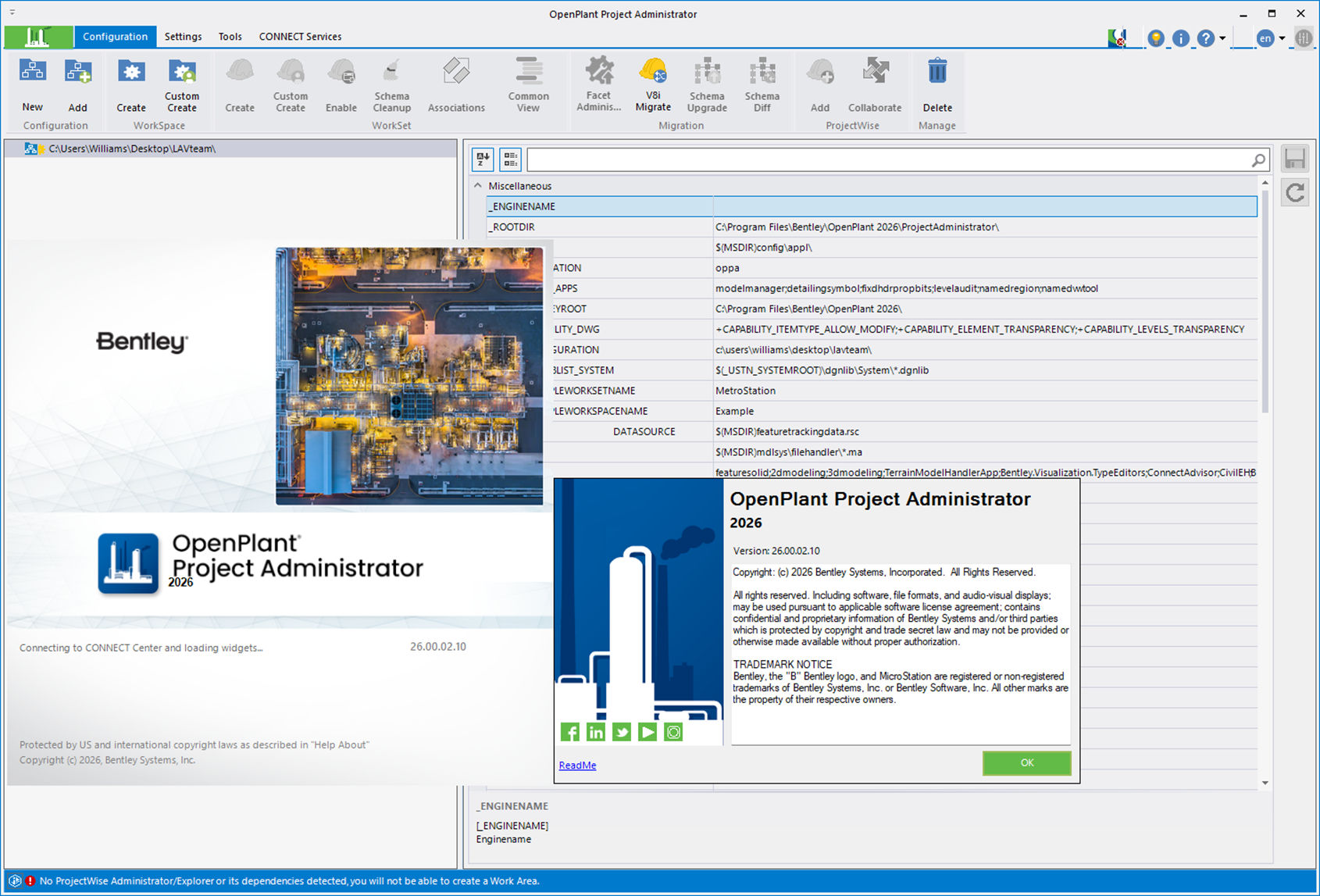
Description of Bentley OpenPlant Project Administrator 2026 v26.00.02.10
Bentley OpenPlant Project Administrator 2026 v26.00.02.10 is the administrative and configuration tool for the entire Bentley OpenPlant ecosystem.
OpenPlant Modeler -> an engineer models a plant/unit in 3D.
OpenPlant PID -> an engineer creates intelligent P&IDs.
OpenPlant Isometrics Manager -> obtains isometric drawings from the model.
OpenPlant Project Administrator -> configures what components and by what rules all this works.
In Project Administrator, you can configure the OpenPlant project environment, in particular:
1. Schema – the data structure. For example, what objects exist: Equipment -> Pump -> Centrifugal Pump -> Piping Component -> Valve -> Gate Valve -> Instrument -> Pressure Gauge. And what properties, classes, and relationships they have.
2. TAG rules. For example, you can define how the designation is automatically generated: P-101 – pump, V-101 – valve, E-101 – heat exchanger. In the training materials, Bentley Project Administrator is directly used to configure TAG rules and properties.
3. Catalogs and Specs. This is one of the most important parts. You can configure: which pipes exist, what diameters are available, what flanges, valves, elbows, tees, materials, piping classes, and allowable component combinations. In other words, a Piping Spec CS150 can tell OpenPlant: for DN100, this pipe, these flanges, these elbows, and these valves are allowed. And when the designer works in OpenPlant Modeler, they select components from this engineering database, rather than drawing arbitrary geometric bodies. Bentley specifically mentions the ability to create and edit piping specifications.
4. Project / WorkSet configuration. It also helps create and configure the project environment—which OpenPlant products are included in the WorkSet, what settings and resources are used, etc. Bentley describes Project Administrator as a tool for configuring a project and reducing its creation time.
5. Reports. You can determine which data to extract from the model and how to generate reports. For example: equipment list, MTO, pipe list, valve list, model components, and various statements. + = link 74 MB (RAR5, incl. 3% – info for restoration purpose)
Features of Bentley OpenPlant Project Administrator 2026 v26.00.02.10
Project Setup and Configuration: Create and configure project environments for supported OpenPlant applications.
Workspace and Workset Management: Organize project configuration resources and settings for engineering teams.
Schema Management: Access supported tools for managing engineering schemas and project data definitions.
Component Configuration: Help maintain consistent component definitions and engineering standards across project workflows.
Specification Generator: Access common OpenPlant configuration utilities for specification-related tasks.
Reports Editor: Configure and customize supported engineering reports.
Project Resource Management: Organize configuration files, libraries, and other resources used by plant-design projects.
ProjectWise Integration: Support managed workspace configuration for teams using compatible ProjectWise environments.
Cross-Application Configuration: Help maintain project settings for supported OpenPlant applications, such as OpenPlant Modeler and OpenPlant PID.
Engineering Workflow Consistency: Reduce repetitive setup work and help teams apply standardized project configurations.
If you want to download Bentley OpenPlant Project Administrator 2026 v26.00.02.10 full license, please click to DOWNLOAD button to download.

Inside package Bentley OpenPlant Project Administrator 2026 v26.00.02.10, already have cracked files and instruction how to install Bentley OpenPlant Project Administrator 2026 v26.00.02.10 step by step. I guarantee you can install Bentley OpenPlant Project Administrator 2026 v26.00.02.10 successfully if you follow that instruction.
If you also can’t install it or get any problems, please contact to me by email: [email protected], then I will help you to install software by teamviewer or Ultraviewer or Anydesk.
Thanks a lot

