August 2025

Download Siemens SIMOTION SCOUT 5.7 SP1 x64 full license

Download Siemens SIMOTION SCOUT 5.7 SP1 x64 full license

Link download Siemens SIMOTION SCOUT 5.7 SP1 win64 full activated
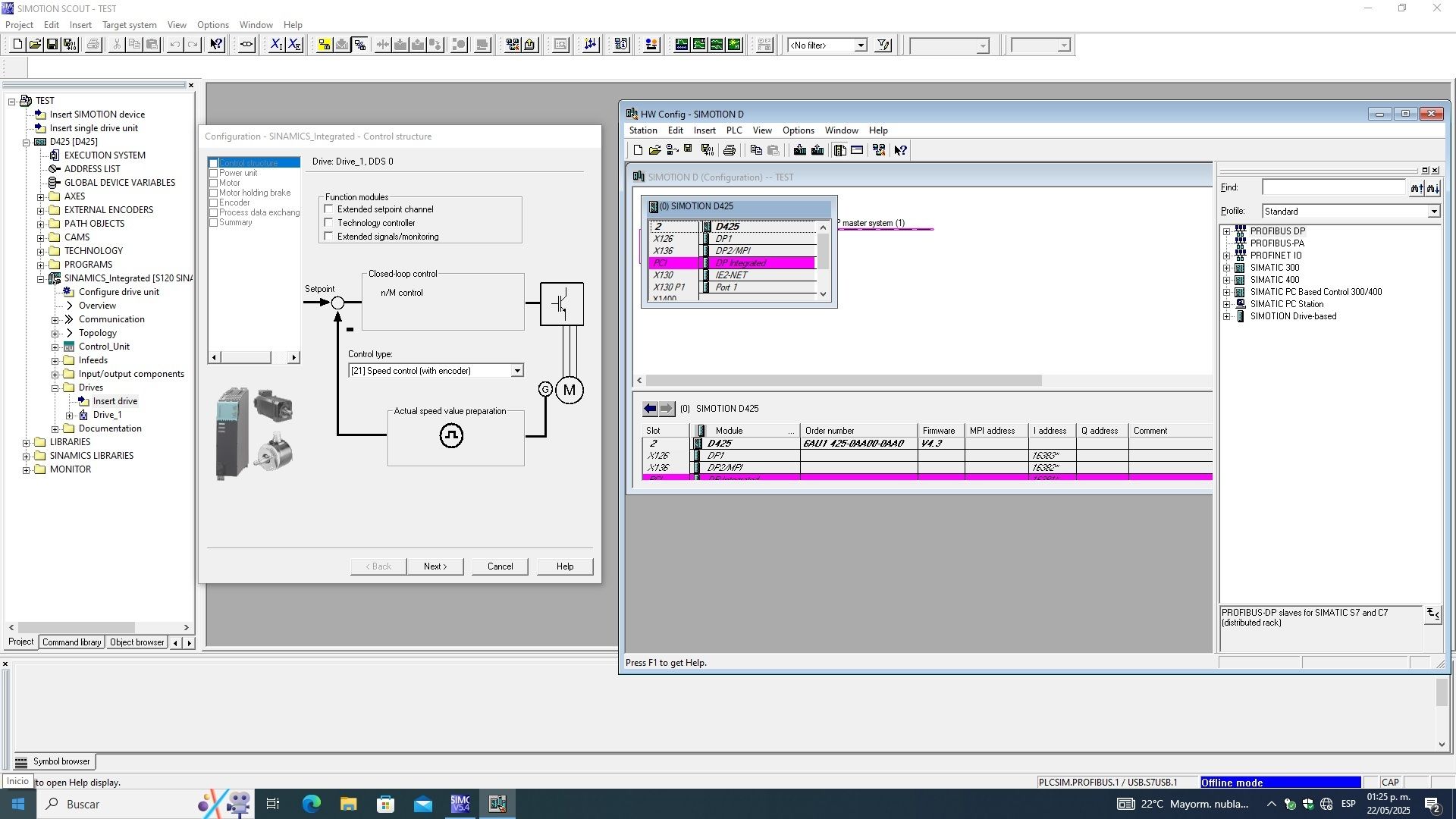
Working with Siemens SIMOTION SCOUT 5.7 SP1 full license

Description of Siemens SIMOTION SCOUT 5.7 SP1

Siemens SIMOTION SCOUT 5.7 SP1 is the integrated engineering environment for Siemens’ SIMOTION motion control system. It works either stand-alone or within the SIMATIC STEP 7 framework (via SCOUT TIA) and provides tools for hardware and network configuration, motion programming, diagnostics, testing, and commissioning. It supports programming languages like Structured Text (ST), Motion Control Chart (MCC), Ladder/FBD, and includes optional tools such as CamTool and DCC for advanced cam and drive sequence control.

🔄 Key Updates in Siemens SIMOTION SCOUT 5.7 SP1

Compatibility & Platform Support
Supports Windows 10 and Windows 11 (both starting with 22H2) for both SCOUT Stand‑alone and SCOUT TIA versions.

SCOUT 5.7 SP1 Stand‑alone includes STEP 7 V5.7 SP3 components; if using SCOUT within TIA Portal framework (TIA V20), SCOUT TIA V5.7 SP1 is fully compatible

Broad Compatibility with Hardware and Software Ecosystem
Validated for controllers such as SIMOTION C240, D4xx‑2 (D410‑2, D425‑2, D435‑2, D445‑2, D455‑2) and P320‑4 variants.

Compatible with technology packages like CAM_EXT V5.7 SP1, TControl V5.7 SP1, and simulation environments SIMOSIM V5.7 SP1, plus CamTool V4.7 SP1 for graphical cam editing.

Works with SINAMICS drive systems and can run side‑by‑side with STEP 7 up to TIA Portal V20 updates

🔧 Core Functionality & Engineering Tools
Motion Control Configuration: Configure SIMOTION controllers, network topology, axes, cams, and technology objects (e.g., MCC, DCC) with full parameter authoring and simulator support
High‑Level Programming & Diagnostics: Provides programming via ST, MCC, LAD/FBD, full diagnostics, testing, and commissioning interfaces.
Optional Extensions:

CamTool (graphical cam creation),

SIMOSIM for offline simulation,

DCC (Drive Control Chart) for advanced drive sequences (not supported in SCOUT TIA variant)

Project Migration Support: Offers a Migration Tool plug‑in to convert existing STEP 7 classic SIMOTION projects into the TIA Portal environment (with SCOUT TIA)

🎯 Final Thoughts
SIMOTION SCOUT 5.7 SP1 represents a mature and highly compatible engineering platform, offering full support for current Siemens controllers and software stacks. Whether deployed stand-alone or within TIA Portal, it delivers robust tools for motion-control configuration, programming, and diagnostics, and integrates well with optional modules for specialized tasks such as cam editing and offline simulation.

If you want to download Siemens SIMOTION SCOUT 5.7 SP1 full license, please click to DOWNLOAD symbol and complete check out a little help my website is maintained. The download link is appeared automatically after you complete check out.

CLICKDOWN.ORG Download CAD CAM CNC software
Inside package Siemens SIMOTION SCOUT 5.7 SP1, already have cracked’s files and instruction how to install Siemens SIMOTION SCOUT 5.7 SP1 step by step. I guarantee you can install Siemens SIMOTION SCOUT 5.7 SP1 successfully if you follow that instruction.
If you also can’t install it or any problems, please contact to me by email: [email protected], then I will help you to install software by teamviewer or Ultraviewer or Anydesk.
Thanks a lot
Download Sante DICOM Viewer Pro 14.2.4 x64 full license

Download Sante DICOM Viewer Pro 14.2.4 x64 full license

Link download Sante DICOM Viewer Pro 14.2.4 win64 full activated

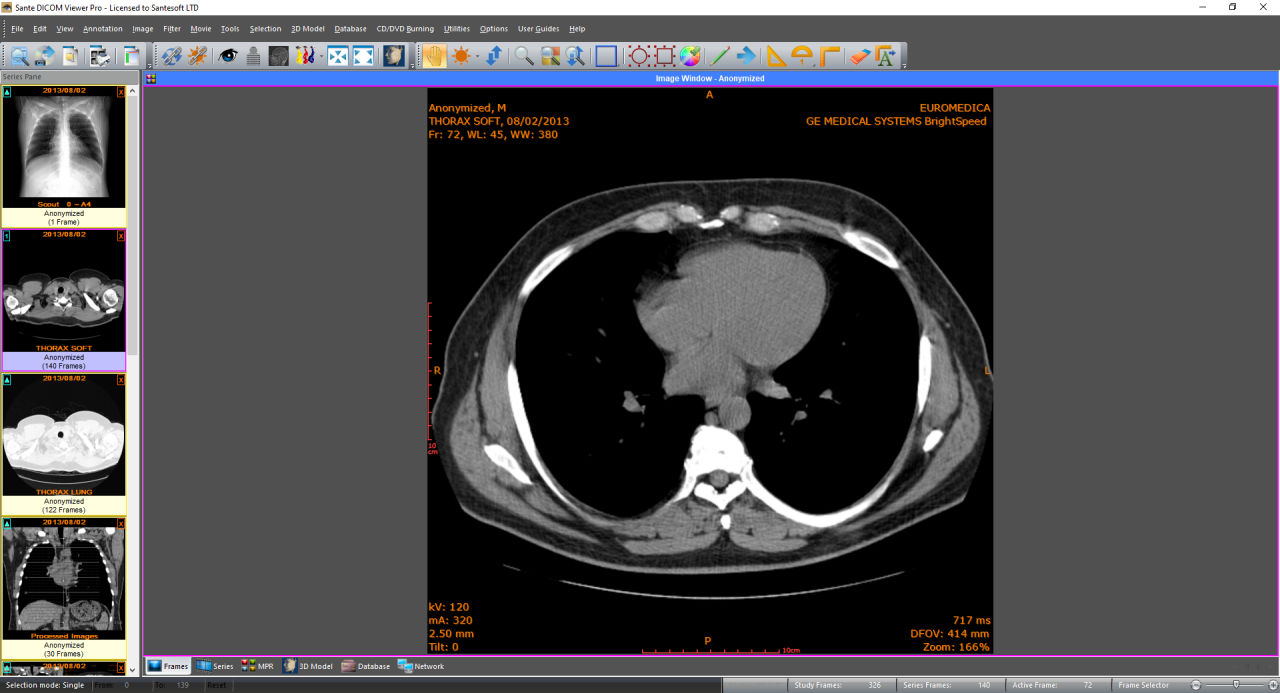
Working with Sante DICOM Viewer Pro 14.2.4 full license

Description of Sante DICOM Viewer Pro 14.2.4

Sante DICOM Viewer Pro 14.2.4 is a full-featured, professional-grade DICOM viewer and PACS workstation designed for radiologists, imaging centers, and hospitals. The software allows advanced visualization, analysis, and management of medical imaging data compliant with DICOM standards. Version 14.2.4 brings key performance improvements, updated security features, and workflow enhancements.

🔄 What’s New in Sante DICOM Viewer Pro 14.2.4

1. Direct2D Graphics Engine

Replaces the legacy GDI+ engine with Direct2D for significantly faster rendering and smoother performance when viewing 2D and 3D DICOM images.

2. TLS Support for Secure DICOM Networking

Adds Transport Layer Security (TLS) encryption for DICOM communications (e.g., C-STORE, C-FIND, C-MOVE), improving data protection across networks.

3. Integrated OHIF Web Viewer

Enables remote, browser-based viewing of studies via OHIF (Open Health Imaging Foundation) viewer without the need for local installation.

4. Export Search Results to CSV

PACS/database search results can now be exported directly to CSV format for easy analysis and reporting.

5. New UID Assignment for Anonymization

Users can assign new Study, Series, and SOP Instance UIDs during anonymization for stronger patient data de-identification and traceability.

6. Memory and Performance Optimizations

Several backend improvements allow faster loading, processing, and rendering of large imaging datasets.

🛠️ Core Features

Advanced 2D/3D Viewing: CT, MRI, X-Ray, Ultrasound, PET, and other modalities supported with multiplanar reconstruction (MPR), volume rendering, MIP, and isosurface views.

Mini PACS Server & Full DICOM Node: Supports C-STORE, C-FIND, C-MOVE, C-GET, and C-ECHO for seamless PACS integration.

DICOM Editing & Batch Tools: Modify DICOM metadata, convert formats, and anonymize in batch mode for large datasets.

Comprehensive ROI Tools: Supports measurements (distance, angle, volume, area), statistics, Cobb angle, and custom-shaped ROI analysis.

Comparison Mode: Compare studies side-by-side with synchronized scrolling, zooming, and metadata comparison.

Burn CDs/DVDs with Viewer: Create patient discs with an embedded DICOM viewer for standalone review.

Export to WMV & Print: Save DICOM images as video or print using DICOM or Windows printing systems.

Database & File System Mode: Organize, archive, and retrieve studies using built-in database or file directory mode.

✅ Conclusion

Sante DICOM Viewer Pro 14.2.4 is a robust, secure, and user-friendly solution for comprehensive medical image management. With powerful DICOM networking, efficient batch processing, anonymization, and modern 2D/3D visualization tools, it is ideal for professionals seeking a reliable and fast DICOM viewer with built-in PACS capabilities.

If you want to download Sante DICOM Viewer Pro 14.2.4 full license, please click to DOWNLOAD symbol and complete check out a little help my website is maintained. The download link is appeared automatically after you complete check out.
CLICKDOWN.ORG Download CAD CAM CNC software
Inside package Sante DICOM Viewer Pro 14.2.4, already have cracked’s files and instruction how to install Sante DICOM Viewer Pro 14.2.4 step by step. I guarantee you can install Sante DICOM Viewer Pro 14.2.4 successfully if you follow that instruction.
If you also can’t install it or any problems, please contact to me by email: [email protected], then I will help you to install software by teamviewer or Ultraviewer or Anydesk.
Thanks a lot

Download Splunk Enterprise 10.0.0 x64 full license

Download Splunk Enterprise 10.0.0 x64 full license

Link download Splunk Enterprise 10.0.0 win64 full activated

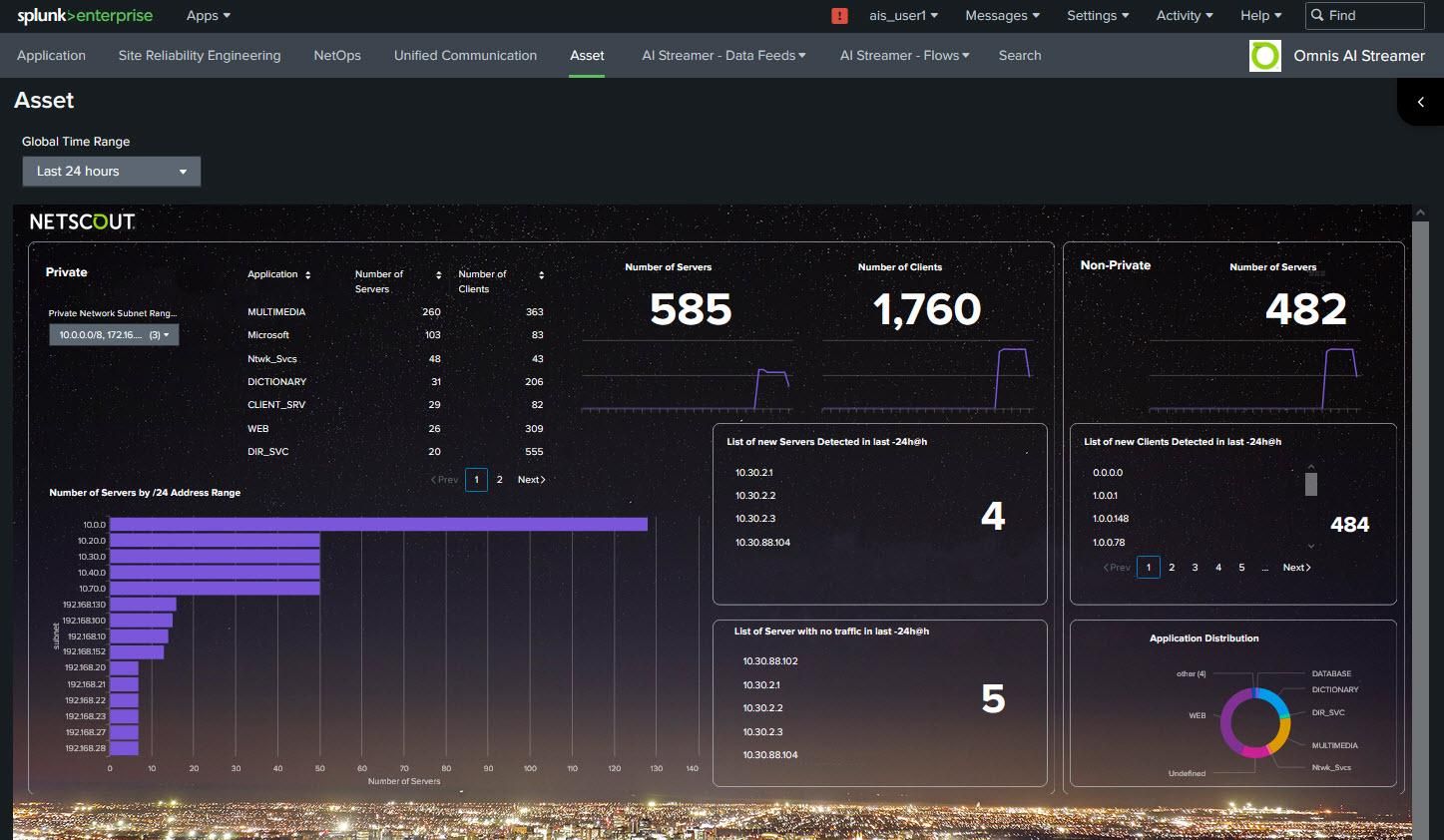
Working with Splunk Enterprise 10.0.0 full license

Descriotion of Splunk Enterprise 10.0.0

Splunk Enterprise 10.0.0 is a powerful data analytics platform designed to collect, index, and analyze machine-generated data from a wide variety of sources in real time. With version 10, Splunk continues to empower organizations with improved performance, smarter analytics, and greater flexibility for hybrid and cloud environments.

🔍 Key Features of Splunk Enterprise 10.0.0

1. Enhanced Search and Performance
Faster search performance with improved indexing and query optimization.

Smart Assist: AI-powered search suggestions for building more effective SPL queries.

Optimized for large-scale data sets and distributed deployments.

2. Scalability and Storage Enhancements
SmartStore enhancements: Efficient use of cloud object storage (e.g., Amazon S3, Azure Blob, Google Cloud Storage).

Better storage tiering and data lifecycle management.

Supports hybrid deployments (on-prem + cloud) with Federated Search improvements.

3. Modernized Dashboard Studio
Advanced visualization tools with interactive dashboards.

Drag-and-drop interface, real-time filtering, and support for custom UI components.

Responsive design suitable for desktops, tablets, and mobile devices.

4. Machine Learning and Anomaly Detection
Integrated with Machine Learning Toolkit (MLTK).

Prebuilt models and guided workflows for forecasting, clustering, and anomaly detection.

Supports time series and categorical data analysis.

5. Security and Compliance
Improved role-based access control (RBAC).

Native SAML, SCIM, and SSO support for secure user management.

Expanded audit logging for user actions and data access.

6. Open and Extensible Ecosystem
Over 1,000 apps and integrations via Splunkbase (e.g., AWS, Azure, Kubernetes, Cisco, ServiceNow).

Full REST API for automation and custom development.

Easily integrates with SIEM, SOAR, ITSM, and DevOps tools.

✅ Common Use Cases

IT Operations: Infrastructure monitoring, incident detection, uptime analysis.

Security (SIEM): Threat detection, compliance reporting, SOC workflows.

DevOps: Log analysis, release monitoring, and CI/CD observability.

Business Analytics: Customer behavior tracking, KPI dashboards.

If you want to download Splunk Enterprise 10.0.0 full license, please click to DOWNLOAD symbol and complete check out a little help my website is maintained. The download link is appeared automatically after you complete check out.
CLICKDOWN.ORG Download CAD CAM CNC software
Inside package Splunk Enterprise 10.0.0, already have cracked’s files and instruction how to install Splunk Enterprise 10.0.0 step by step. I guarantee you can install Splunk Enterprise 10.0.0 successfully if you follow that instruction.
If you also can’t install it or any problems, please contact to me by email: [email protected], then I will help you to install software by teamviewer or Ultraviewer or Anydesk.
Thanks a lot

Download AutoRebar 2026 v3.3.2 for Autodesk AutoCAD 2015-2026 full

Download AutoRebar 2026 v3.3.2 for Autodesk AutoCAD 2015-2026 full

Link download AutoRebar 2026 v3.3.2 for Autodesk AutoCAD 2015-2026

Working with AutoRebar 2026 v3.3.2 for Autodesk AutoCAD 2015-2026 full

Description of AutoRebar 2026

AutoRebar 2026 is a specialized plugin for AutoCAD, designed to streamline the process of creating, editing, and managing reinforcement detailing in 2D CAD drawings. Widely used by structural engineers and detailers, AutoRebar automates the production of rebar schedules, bar marks, and bending lists, making reinforced concrete drafting faster and less error-prone.

🧱 Key Features of AutoRebar 2026

1. 🔄 Seamless AutoCAD Integration
Works natively inside AutoCAD 2026, maintaining familiar workflows.

Lightweight plugin that adds rebar-specific toolbars, ribbon panels, and commands.

2. 📐 Smart Parametric Rebar Tools
Create parametric rebar shapes like straight bars, stirrups, hooks, U-bars, L-bars, etc.

Modify rebar length, bend angles, spacing, and dimensions dynamically.

Rebar elements automatically update with changes in design parameters.

3. 📝 Automatic Bar Marking and Numbering
Auto-numbering of bars with customizable bar marks and styles.

Consistent bar labeling across multiple views (plan, section, elevation).

Supports automatic updates when rebar configurations change.

4. 📋 Dynamic Bending Schedules
Generate bar bending schedules (BBS) in a few clicks.

Tables are automatically extracted from drawing data and are always up-to-date.

Fully customizable schedules to meet local or project-specific standards.

5. 🧮 Automatic Quantity Take-Off
Real-time calculation of rebar lengths, quantities, and weights.

Supports exporting to Excel or CSV for cost estimation and procurement.

6. 🧰 Rebar Annotations & Detailing Tools
Annotation tools for bar tags, callouts, and hook details.

Advanced tools for bar grouping, array placement, and concrete cover checking.

Intelligent snapping and dimensioning adapted to rebar geometry.

7. 🌍 International Standards Support
Compatible with various reinforcement standards (e.g., ACI, BS, Eurocode).

Configurable settings for bar diameters, bending radii, and schedule formatting.

✅ Benefits of AutoRebar 2026:

Greatly reduces manual drafting time for reinforced concrete designs.

Minimizes errors in rebar placement, scheduling, and quantity take-offs.

Allows accurate, editable, and parametric rebar details without switching to 3D modeling tools.

💡 Use Cases:
Structural drawings for buildings, bridges, slabs, foundations, columns, and beams.

Bar bending schedule generation for contractors and site execution teams.

Quantity take-off and cost estimation for reinforced concrete works.

If you want to download AutoRebar 2026 v3.3.2 for Autodesk AutoCAD 2015-2026 full license, please click to DOWNLOAD symbol and complete check out a little help my website is maintained. The download link is appeared automatically after you complete check out.
CLICKDOWN.ORG Download CAD CAM CNC software
Inside package AutoRebar 2026 v3.3.2 for Autodesk AutoCAD 2015-2026, already have cracked’s files and instruction how to install AutoRebar 2026 v3.3.2 for Autodesk AutoCAD 2015-2026 step by step. I guarantee you can install AutoRebar 2026 v3.3.2 for Autodesk AutoCAD 2015-2026 successfully if you follow that instruction.
If you also can’t install it or any problems, please contact to me by email: [email protected], then I will help you to install software by teamviewer or Ultraviewer or Anydesk.
Thanks a lot

Download PTC Creo 9.0.11.0 + HelpCenter Win64 full license

Download PTC Creo 9.0.11.0 + HelpCenter Win64 full license

Link download PTC Creo 9.0.11.0 x64 full activated

Working with PTC Creo 9.0.11.0 full license

Description of PTC Creo 9.0.11.0

PTC Creo 9.0.11.0 is a comprehensive 3D CAD solution designed to support product design, engineering, and innovation across a wide range of industries. Released as a major update to the Creo platform, version 9.0 introduces significant improvements in usability, model-based definition (MBD), simulation-driven design, and additive manufacturing.

🛠️ Key Features of PTC Creo 9.0.11.0

1. User Experience & Productivity Enhancements
Updated UI/UX with better consistency and intuitiveness.

New mini toolbar and improved selection workflows reduce clicks and design time.

Enhanced dashboards and model tree management for faster navigation and control.

2. Model-Based Definition (MBD) Improvements
Expanded GD&T Advisor capabilities for more complete and accurate annotations.

Enhanced semantic PMI (Product Manufacturing Information) tools.

Improved support for standards like ASME and ISO, facilitating better downstream use of 3D models.

3. Simulation-Driven Design
Integration with Creo Simulation Live powered by Ansys for real-time feedback on performance (stress, thermal, and modal).

Enhanced Creo Simulate for traditional FEA studies with more control and post-processing options.

Multiphysics support: including structural-thermal and fluid-thermal coupling simulations.

4. Additive and Subtractive Manufacturing
Improvements in Creo Additive Manufacturing Extension (AMX) for lattice creation, support structure design, and 3D print preparation.

Expanded metal printing support and connectivity with third-party 3D printers.

Enhanced NC machining and toolpath simulation for subtractive manufacturing.

5. Design for Ergonomics and Human Factors
New Ergonomics Extension allows designers to simulate and assess human interaction with products using mannequins and reach zones.

Better visualization of user comfort, vision lines, and posture impact during product use.

6. Multibody Design Enhancements
More flexible tools for managing complex part geometries using multibody techniques.

Improved support for part splitting, Boolean operations, and design reuse.

7. Generative Design
Tighter integration with PTC’s cloud-based generative design tools.

Automatic geometry optimization for performance and weight reduction based on defined constraints.

🧰 Other Notable Enhancements
Creo View improvements for visualization and collaboration.

Better Windchill integration for PLM (Product Lifecycle Management).

Extended support for standards and data interoperability (e.g., STEP, JT, IGES).

✅ Use Cases:
Product design and development (consumer goods, automotive, aerospace, medical devices)

Simulation and performance optimization

3D printing and generative design

Human-centric design with ergonomics

MBD-driven digital thread and smart manufacturing

If you want to download PTC Creo 9.0.11.0 full license, please click to DOWNLOAD symbol and complete check out a little help my website is maintained. The download link is appeared automatically after you complete check out.
CLICKDOWN.ORG Download CAD CAM CNC software
Inside package PTC Creo 9.0.11.0, already have cracked’s files and instruction how to install PTC Creo 9.0.11.0 step by step. I guarantee you can install PTC Creo 9.0.11.0 successfully if you follow that instruction.
If you also can’t install it or any problems, please contact to me by email: [email protected], then I will help you to install software by teamviewer or Ultraviewer or Anydesk.
Thanks a lot

error: Content is protected !!
Scroll to Top