CAMWorks ShopFloor 2027 SP0 – Smart CNC Manufacturing Software
CAMWorks ShopFloor 2027 SP0 is a digital manufacturing solution designed to improve communication between CNC programmers and shop floor operators. It provides access to 3D part models, machining information, tool lists, setup sheets, toolpath simulations, and G-code programs through a single interface.
With CAMWorks ShopFloor, machinists can inspect part geometry, review machining operations, simulate toolpaths, and verify CNC programs before production. The software helps reduce setup time, minimize machining errors, improve production efficiency, and support modern paperless manufacturing environments.
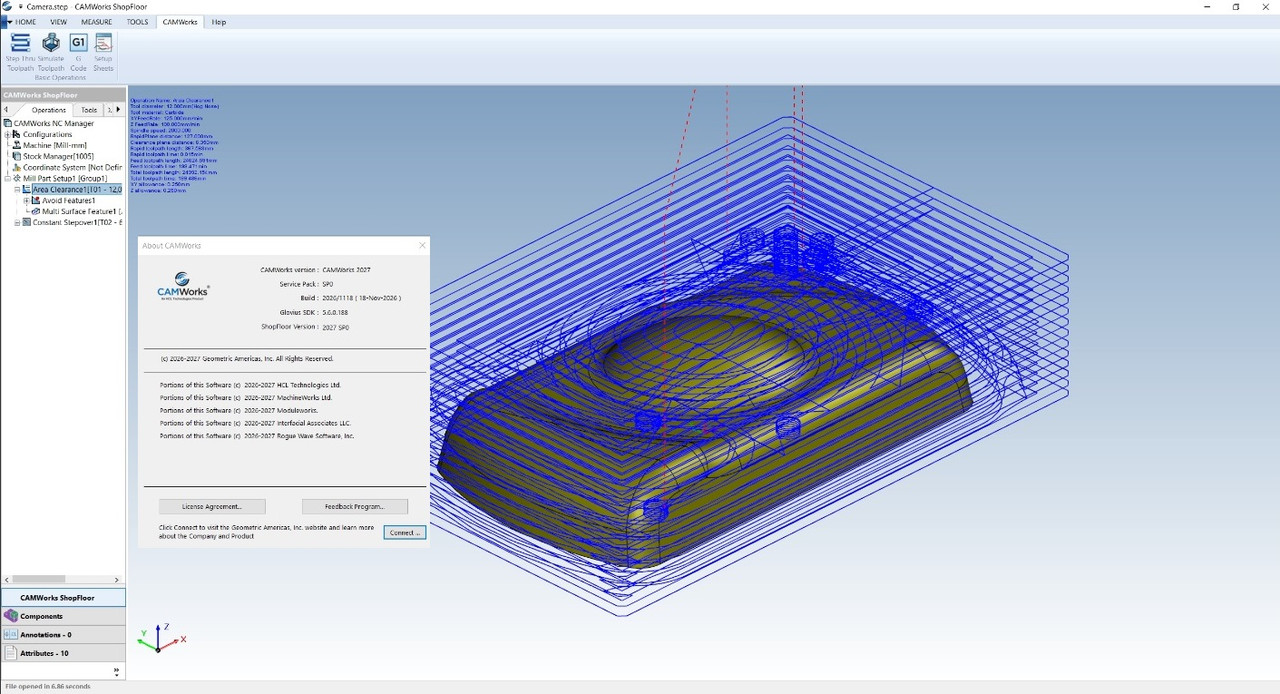
Features of CAMWorks ShopFloor 2027 SP0
1. 3D CAD Model Visualization
Open and view 3D part and assembly models.
Rotate, pan, and zoom models.
Use dynamic section views to inspect internal geometry.
Perform linear, radial, angular, and area measurements.
2. MBD and PMI Information
Display manufacturing dimensions and annotations.
View Product Manufacturing Information (PMI).
Search and filter manufacturing data.
Improve communication between engineering and production departments.
3. CNC Toolpath Simulation
Visualize CNC machining toolpaths.
Simulate individual machining operations.
Review complete machining programs.
Visualize material removal during machining simulation.
4. Step-Through CNC Simulation
Step through individual tool movements.
Review machining sequences.
Inspect cutting operations before production.
Help identify potential programming issues.
5. Digital Setup Sheets
Access digital machining setup information.
Review machining operation details.
View important manufacturing documentation.
Reduce dependence on printed setup sheets.
6. Tool List Management
View machining tool information.
Review tool lists associated with CNC operations.
Access tool-related manufacturing data.
Improve CNC machine preparation.
7. Integrated NC Editor
Open and review CNC G-code programs.
Edit NC program information.
Use back-plotting capabilities.
Review programmed tool movements.
8. Automatic CAD/CAM File Checking
Monitor changes to CAD and CAM information.
Identify differences between manufacturing files.
Help prevent machining with outdated part revisions.
Maintain consistency between engineering and shop floor data.
9. Smart Manufacturing Integration
Combine manufacturing information in a digital environment.
Improve communication between CNC programmers and machinists.
Support paperless manufacturing workflows.
Help reduce production errors and downtime.
10. Improved Production Efficiency
Reduce CNC setup and verification time.
Minimize unnecessary machine testing.
Improve machining quality and consistency.
Support more efficient manufacturing operations.
Who Should Use CAMWorks ShopFloor 2027 SP0?
CAMWorks ShopFloor is suitable for:
CNC machinists and machine operators.
CNC programmers.
Manufacturing engineers.
Mechanical engineers.
Production supervisors.
Quality control technicians.
Manufacturing companies using CNC milling, turning, and mill-turn machines.
If you want to download CAMWorks ShopFloor 2027 SP0 full license, please click to DOWNLOAD button to download.

Inside package CAMWorks ShopFloor 2027 SP0, already have cracked files and instruction how to install CAMWorks ShopFloor 2027 SP0 step by step. I guarantee you can install CAMWorks ShopFloor 2027 SP0 successfully if you follow that instruction.
If you also can’t install it or get any problems, please contact to me by email: [email protected], then I will help you to install software by teamviewer or Ultraviewer or Anydesk.
Thanks a lot

