Maxon ZBrush 2027.1.0.1 – Professional Digital Sculpting Software
Maxon ZBrush 2027.1.0.1 is a professional digital sculpting and 3D modeling software designed for artists, designers, game developers, and visual effects professionals. It provides powerful sculpting brushes, advanced polygon modeling, digital painting, texturing, and detailed character creation tools.
ZBrush 2027 introduces new workflow improvements, including Maxon Review integration, enhanced multitouch support, and various stability fixes. Artists can share 3D models for feedback, receive comments directly inside ZBrush, and improve collaboration throughout the creative process.
With its extensive sculpting toolset and flexible modeling environment, ZBrush helps users create highly detailed characters, creatures, environments, props, collectibles, and production-ready 3D assets.
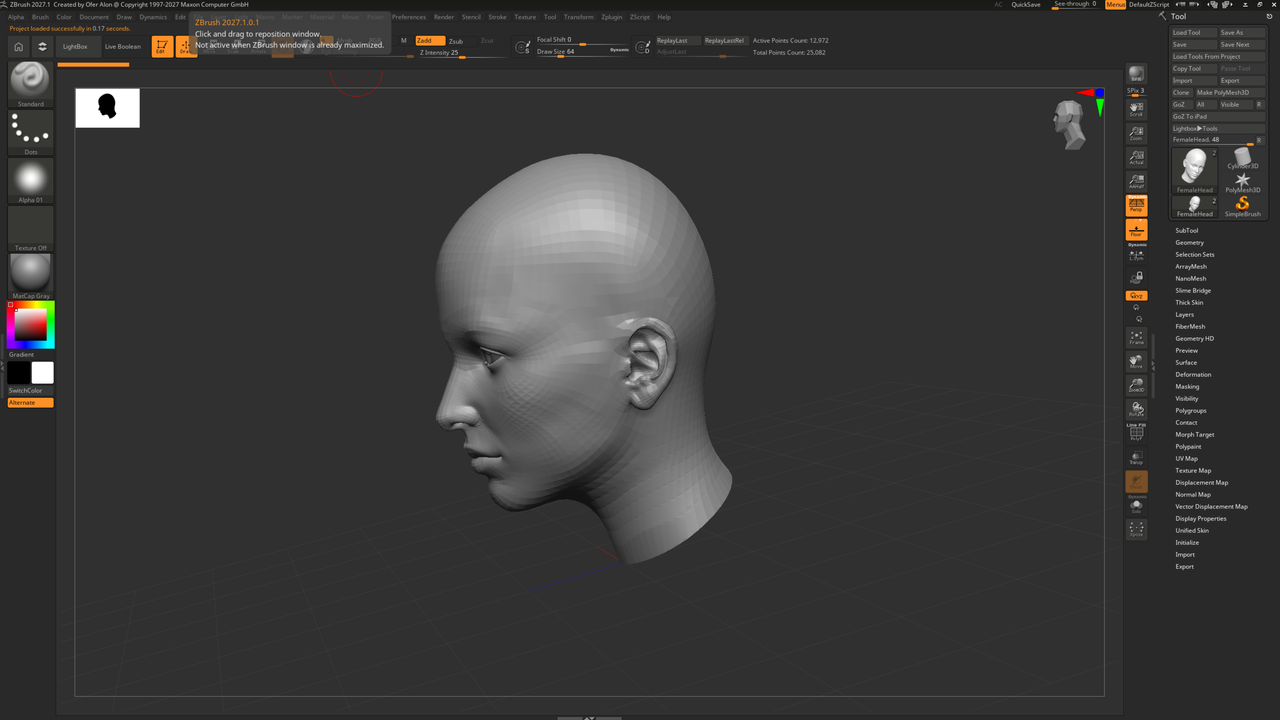
Features of Maxon ZBrush 2027.1.0.1
1. Advanced Digital Sculpting
Professional digital clay sculpting tools.
Extensive customizable brush library.
High-resolution surface detailing.
Organic and hard-surface sculpting.
Real-time sculpting workflow.
2. Maxon Review Integration
Share 3D models through web links.
Receive feedback directly from reviewers.
Add pinned comments to specific model locations.
Draw annotations over 3D models.
Review different model variations.
Synchronize feedback and camera positions with ZBrush.
3. UV Editor
Dedicated UV editing environment.
Create and edit UV layouts.
Automatic UV unwrapping.
UDIM workflow support.
Texel density integration.
Flexible UV packing options.
Trim sheet workflows.
4. Selection Sets
Save different sculpting states.
Store Polygroups and masking information.
Save Polypaint and UV configurations.
Store multiple morph targets.
Switch between saved selections quickly.
Improve complex project management.
5. Advanced 3D Modeling
ZModeler polygon modeling tools.
Dynamesh dynamic topology.
ZRemesher automatic retopology.
Subdivision surface modeling.
Flexible mesh editing.
Advanced geometry manipulation.
6. Powerful Sculpting Brushes
Standard sculpting brushes.
Clay and ClayBuildup brushes.
Move, Smooth, and Inflate tools.
IMM and VDM brush support.
Custom brush creation.
Detailed surface refinement.
7. Digital Painting and Texturing
Polypaint vertex-based painting.
Custom material application.
Spotlight image-based painting.
Advanced masking tools.
Texture and color management.
High-resolution surface detailing.
8. Advanced Geometry Management
SubTool organization.
Dynamic Subdivision.
3D Layers for non-destructive sculpting.
Morph targets and shape editing.
Mesh extraction and remeshing.
Advanced topology workflows.
9. Improved Multitouch Support
Multitouch support for Apple ProMotion displays.
Touch support when using an iPad with an Apple desktop or laptop through Sidecar.
More flexible interaction with compatible touch displays.
10. Performance and Stability Improvements
Improved application stability.
Fixed several Decimation Master issues.
Improved Retopology brush behavior.
Fixed Unified Skin crashes.
Improved Dynamic Subdivision display.
Corrected MorphUVs issues with problematic UVs.
Improved undo and redo behavior for temporary retopology geometry.
Who Should Use Maxon ZBrush 2027?
ZBrush is suitable for:
3D character artists.
Digital sculptors.
Game developers.
Film and VFX artists.
Animation professionals.
3D modelers and designers.
Collectible and figurine designers.
3D printing professionals.
Concept artists.
Product visualization specialists.
If you want to download Maxon ZBrush 2027.1.0.1 full license, please click to DOWNLOAD button to download.

Inside package Maxon ZBrush 2027.1.0.1, already have cracked files and instruction how to install Maxon ZBrush 2027.1.0.1 step by step. I guarantee you can install Maxon ZBrush 2027.1.0.1 successfully if you follow that instruction.
If you also can’t install it or get any problems, please contact to me by email: [email protected], then I will help you to install software by teamviewer or Ultraviewer or Anydesk.
Thanks a lot

