Download Cradle CFD 2021.1 Win64 full license 100% working
Download Cradle CFD 2021.1 Win64 full license 100% working
Link download Cradle CFD 2021.1 x64 full cracked forever
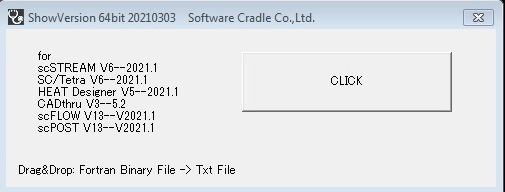
Cradle CFD 2021.1 win64 full license
Interface language: English
System requirements: Win 7 SP1 / 10 64-bit
Description:
Cradle CFD includes modules:
scFLOW
scSTREAM & Heat Designer
SC / Tetra
scPOST
CADthru
scFLOW
scFLOW is an application for mathematical modeling of fluid dynamics and heat transfer problems with an adaptive grid and high computation speed
ScFLOW-specific features and functions
Simplifying preprocessor operations
The required operations with CAD data for mesh analysis have been greatly simplified compared to previous versions. Storing assembly information and adjusting part parameters creates the impression of continuity between systems and reduces the burden on the user.
Responsive grid
Improved the function of local enlargement / refinement of elements during automatic meshing. Responsive mesh is generated from elements with the most appropriate size for a given geometry.
View Mode
Data from the preprocessor can be displayed in view mode when the license is occupied by the postprocessor or mesh generation.
Operation logging via VB interface
Operations from the preprocessor can be saved as a log file using the Visual Basic interface. This does not provide the ability to create custom scripts, but allows you to create an automated system in a short period of time based on the operations stored in the log.
Accelerated Stationary Analysis
The used optimization of the calculation algorithm increased the performance of the convergence function and reduced the estimated cycle time for stationary calculations.
Calculation stabilization
For meshes of poor quality elements, the calculations can be automatically stabilized to prevent discrepancy.
Script development
Previously, complex settings (material properties or boundary conditions dependent on time or coordinates) required generating C code and then compiling. When using scripts, compilation is not required, and the functions themselves can be written in the preprocessor in JavaScript.
Moving elements (discrete mesh)
Perform calculations for moving objects: fan rotation, moving cars close to each other. The accuracy of calculating the connections of elements has been increased by revising the algorithm. For the parallel solver, the memory efficiency has been improved, which should have a significant effect on multi-core computations when working with large problems.
Free surface
The software calculates the shape of the contact surface between gaseous and liquid substances. This function can be used in conjunction with functions such as moving borders, overlapping meshes, tracking elementary particles. In the case of stabilization of the phase surface, it is possible to carry out a stationary analysis, which gives the result in a shorter time.
scSTREAM & Heat Designer
scSTREAM is an application for mathematical modeling of fluid dynamics and heat transfer problems with a structured grid
The computational models in scSTREAM are based on a simple and easy-to-build structured grid. This type of mesh consists of many small cuboids, so it only approximates curved surfaces into a stepped structure.
This type of mesh is used in cases where curved surfaces or small details do not significantly affect the overall result. Examples of applications for structured mesh are found in the simulation of electronics cooling, heating, ventilation and air conditioning, and architectural design.
Features, functions and tasks specific to scSTREAM:
Different methods of representing geometry
The shape of the model to be analyzed can be represented using the following methods:
– voxel method (inclined and curved surfaces are represented in cuboids);
– beveled cells method (refinement of the model created with the help of a CAD system);
– finite element method (a free-form model with an unstructured mesh can be superimposed on a model with a structured mesh, which makes it possible to use a model from a CAD system in its original form).
Modeling the movement of objects
The scSTREAM system calculates the flow generated by an absolutely rigid moving object. Parameters such as movement of an object (movement, rotation, elastic deformations), generation / absorption of heat, supply / removal of air can be set as conditions. A different mesh is created for the moving object model. With this approach, conditions such as the distance traveled by an object are practically unlimited, and this allows you to create models of arbitrary complexity.
Scaling boundary conditions
If the target phenomenon under investigation has a size less than the size of the environment influencing it, then the results of the environmental analysis can be used as boundary conditions in order to reduce the time and number of calculations.
Free surface
The software calculates the shape of the contact surface between gaseous and liquid substances. This feature is useful in a wide range of areas, from tsunami analysis in civil engineering and construction to soldering analysis in electronics.
Calculation of models of high complexity
With a structured mesh, a complex model practically does not need to be adjusted, since the shape and size of the model elements do not affect the complexity of mesh generation. In addition, in parallel computations, the calculation is performed at a high speed. This ensures the efficiency of data processing.
Local mesh refinement
Refinement of the mesh can be performed locally to more accurately represent the shape of the model and efficiently perform the calculation.
Creating custom variables and scripts
Complex conditions containing trigonometric functions or branches with an IF operator can be specified without compilation.
Library of electronic components
The geometry and properties of frequently used parts can be saved to the library for reuse later, which saves time when creating a calculation model.
Displaying the heat path (HeatPathView)
The information about the temperature of each part and the total amount of heat generated at the post-processing stage of the CFD analysis results is insufficient to understand the thermal path. HeatPathView displays the thermal path and the amount of heat transferred throughout the computational domain using charts, graphs and tables, making it easy to find bottlenecks.
Import of CAD data from electronic devices
This function allows you to read and import the data on the PCB wiring diagram from the CAD system. This allows for a more realistic simulation result, taking into account the heat transfer caused by uneven wiring.
The HeatDesigner module (included in the scSTREAM distribution) is designed to perform thermal calculations of electronic components
HeatDesigner is a specialized scSTREAM based solution designed for thermal design of electronics. HeatDesigner performance is optimized for applications where accurate reproduction of curved geometry is not required to predict the flow field. However, HeatDesigner supports a mesh of over one hundred million elements, which allows you to accurately describe small geometric elements. As with scSTREAM, the main advantages of HeatDesigner are short calculation times and low consumption of computational resources.
Features, functions and tasks specific to HeatDesigner:
Calculation of models of high complexity
With a structured mesh, a complex model practically does not need to be adjusted, since the shape and size of the model elements do not affect the complexity of mesh generation. In addition, in parallel computations, the calculation is performed at a high speed. This ensures the efficiency of data processing.
Local mesh refinement
Refinement of the mesh can be performed locally to more accurately represent the shape of the model and efficiently perform the calculation.
Creating custom variables and scripts
Complex conditions containing trigonometric functions or branches with an IF operator can be specified without compilation.
Library of electronic components
The geometry and properties of frequently used parts can be saved to the library for reuse later, which saves time when creating a calculation model.
Displaying the heat path (HeatPathView)
The information about the temperature of each part and the total amount of heat generated at the post-processing stage of the CFD analysis results is insufficient to understand the thermal path. HeatPathView displays the thermal path and the amount of heat transferred throughout the computational domain using charts, graphs and tables, making it easy to find bottlenecks.
Import of CAD data from electronic devices
This function allows you to read and import the data on the PCB wiring diagram from the CAD system. This allows for a more realistic simulation result, taking into account the heat transfer caused by uneven wiring.
Examples of tasks to be solved:
Simulation of boiling, condensation formation
Illumination analysis
Solar radiation simulation
Air humidity analysis (condensation and evaporation processes)
Vegetation modeling (wind, evaporation cooling)
Wind load simulation
Assessment of the influence of the electrostatic field
Foaming resin filling simulation
Simulation of solidification / melting processes
Joule Heat Simulation
Tracking elementary particles (behavior, reactions, interaction)
SC / Tetra
scTETRA is an application for mathematical modeling of fluid dynamics and heat transfer problems with an unstructured grid
scTETRA uses a hybrid mesh to represent the geometry of the model with high fidelity. Fast grid generator, high-speed computing, low memory consumption and user-friendly interface allow you to work efficiently and get results in a short time.
A hybrid (or unstructured) mesh is generated using tetrahedral, pentahedral, hexahedral, and other polyhedral elements. This mesh is used in applications where accurate representation of geometry is critical. Examples of such problems are modeling of aerodynamics of vehicles, flows in pipelines, and the operation of turbomachines.
Features, functions and tasks specific to scTETRA:
High speed automatic mesh generation
A high quality mesh is automatically generated in minimal time using the Advancing Front method. When creating a layer of prismatic elements, its width can be set depending on the width of the flow channel. The software makes it possible to speed up the mesh generation process through the use of parallel computations and supports the creation of large meshes.
Responsive grid
For stationary analysis, using this function will automatically reduce the size of the mesh elements in the area where there is a significant change in flow or pressure. After the solver finishes computations, the preprocessor will start automatically and rebuild the mesh based on the computation results. This function is suitable for analyzing flows in pipes with complex shapes.
Modifying the CAD model
In scTETRA, you can edit the models obtained from the CAD system as needed or when errors occur. Boundary conditions can be set based on part names and other parameters imported from the CAD system. If the imported model does not contain any areas required for analysis, they can be represented by shapes such as a cuboid and a cylinder.
Free surface
The software calculates the shape of the contact surface between gaseous and liquid substances. This function can be used in conjunction with functions such as moving borders, overlapping meshes, tracking elementary particles. Application examples – analysis of the influence of waves on a ship, analysis of the influence of a shake on a gas tank, etc.
Dynamic function
It makes it possible to analyze the forced movement and rotation of an absolutely rigid object under the influence of a hydrodynamic force.
Discrete grid
This mesh technology allows:
– to simulate flows created by moving objects: rotation of fans and turbines, movement of cars or trains;
– analyze the heating taking into account the shift between the rotor and the hub in the disc brake system;
– analyze the combination of rotation and movement (eg piston pump).
Overlapping meshes
Movement that is not reproduced by deformation or rotation is modeled using an overlapping mesh for the movable and fixed region. In addition, contact of objects and overlapping of multiple areas is supported. An example of an application for this function is to analyze the opening and closing of a valve in an engine piston or a gear pump driven by gears.
Strength calculation module
Strains and thermal stresses can be calculated based on the calculated pressure and temperature values. An interface with Abaqus for solving problems of fluid and structure interaction has been implemented.
Compressible fluid modeling
scTETRA enables the analysis of supersonic flow phenomena and significant volume expansion / contraction. For compressible fluid, both pressure and density solvers are used. The type of solver depends on the purpose of the analysis and the type of phenomenon.
Examples of tasks to be solved:
Boiling simulation
Simulation of cavitation
Fan simulation (model creation, shape analysis)
Aerodynamic noise analysis
Simulation of solidification / melting processes
Dispersed multiphase flow modeling
Tracking elementary particles (behavior, reactions, interaction)
Calculation of the amount of condensate
Liquid Film Simulation (Advanced Particle Tracking)
Pressure loss simulation
Thermoregulation simulation
Turbulent flow simulation
Simulation of radiation
Fan simulation without geometry
Joule Heat Simulation
Plain Bearing Designer
scPOST
scPOST – postprocessor for visualization of calculation data performed by both Cradle-cfd program solvers and other solvers
Available import formats: MSC Nastran, MSC Marc, images (BMP, PNG), 3D gemetry (STL, Parasolid)
Available export formats: Generic format for fluid data (.cgns), images (BMP, JPG, PNG), animation (AVI, WMV), 3D gemetry (STL, VRLM, FBX).
If you want to download Cradle CFD 2021.1 full license, please click to DOWNLOAD symbol and complete check out a little help my website is maintained. The download link is appeared automatically when you complete check out.

Please see youtube video for download instruction by open *.txt file and copy youtube video link paste to your browser If you don’t know how to download.
Inside folder Cradle CFD 2021.1, already have crack’s file and instruction how to install Cradle CFD 2021.1 step by step. I guarantee you can install Cradle CFD 2021.1 successfully if you follow that instruction.
If you also can not install it or any problems, please contact to me by email: [email protected], then I will help you to install software by teamviewer.
Thanks a lot


