Maxon Cinema 4D Studio 2027.1 – Professional 3D Design and Animation Software
Maxon Cinema 4D Studio 2027.1 is a professional 3D modeling, animation, motion graphics, simulation, and rendering software designed for artists, designers, animators, and visual effects professionals.
The latest release introduces AI-assisted 3D model and texture generation, Maxon Review integration, and Spatial Preview support for Apple Vision Pro. It also provides powerful modeling tools, procedural animation, MoGraph systems, advanced simulation capabilities, and GPU-accelerated Redshift rendering.
With its flexible interface and comprehensive creative toolset, Cinema 4D helps users create stunning 3D animations, motion graphics, product visualizations, architectural scenes, and visual effects.
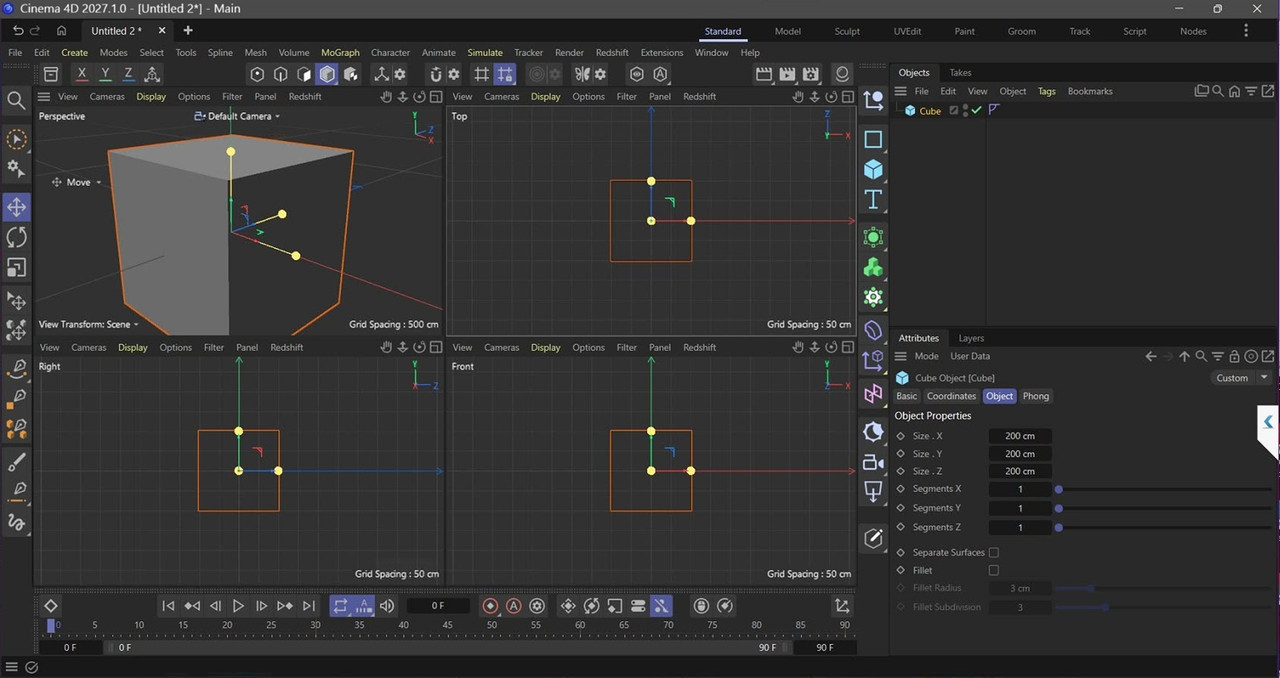
Features of Maxon Cinema 4D Studio 2027.1
1. AI-Assisted 3D Model Generation
Generate 3D models using text prompts.
Use reference images to guide model generation.
Create models from drawn sketches.
Explore multiple generated model concepts.
Refine generated geometry inside Cinema 4D.
Accelerate initial 3D asset creation.
2. AI Texture Generator
Generate textures using text descriptions.
Use reference images to guide texture generation.
Apply generated textures to existing models.
Work with existing UV layouts.
Generate new UV layouts when required.
Refine generated materials in the creative workflow.
3. Maxon Review Integration
Share 3D models through browser links.
Review 3D scenes without installing Cinema 4D.
Collect feedback from clients and collaborators.
Add pinned comments to specific model locations.
Draw annotations directly over models.
Restore the camera angle associated with comments.
Manage project reviews through the Cinema 4D interface.
4. Spatial Preview for Apple Vision Pro
Send Cinema 4D scenes to Apple Vision Pro.
Experience 3D projects in an immersive environment.
Evaluate designs at real-world scale.
Inspect spatial relationships and proportions.
Review architectural and interior visualization projects.
Preview Redshift materials in the immersive environment.
5. Advanced 3D Modeling
Polygon and parametric modeling tools.
NURBS and spline-based modeling workflows.
Subdivision surface modeling.
Procedural object creation.
Advanced deformation tools.
Flexible geometry editing and manipulation.
6. MoGraph and Procedural Animation
Create complex motion graphics.
Use MoGraph Cloners and Effectors.
Procedural object distribution with Scatter.
Control object placement using Fields.
Create custom procedural tools with Scene Nodes.
Build complex animations without extensive scripting.
7. Advanced Simulation and Liquid FX
Liquid FX particle simulation.
Generate spray effects.
Create foam and bubble simulations.
Control liquid particle behavior.
Build realistic fluid-related visual effects.
Combine simulations with animated 3D scenes.
8. Redshift GPU Rendering
GPU-accelerated rendering.
Advanced materials and shading.
Realistic lighting and shadows.
HDRI environment lighting.
Interactive rendering workflows.
Procedural fur and fiber generation.
Improved rendering performance and viewport feedback.
9. UV Mapping and Texturing
Advanced UV editing tools.
UV island organization.
Automatic UV unwrapping.
Multiple UV island rectangularization.
Material and texture management.
Support for professional texturing workflows.
10. Animation and Character Production
Keyframe animation.
Timeline and animation controls.
Character rigging workflows.
Deformers and procedural animation.
Object and camera animation.
Integration with simulation and rendering systems.
11. CAD Import and Data Exchange
Import engineering and CAD geometry.
Support for formats including 3MF, AMF, CREO, IFC, Inventor, NX, and Solid Edge.
Work with complex imported models.
Prepare engineering geometry for visualization.
Improve interoperability with external design applications.
12. Cinema 4D Agentic and AI Automation
Automate repetitive Cinema 4D tasks.
Support batch ingestion and scene organization workflows.
Automate selected delivery processes.
Run a dedicated headless Cinema 4D instance.
Connect supported AI agents through Model Context Protocol (MCP).
Work with supported applications such as ChatGPT, Codex, and Claude Code.
Who Should Use Maxon Cinema 4D Studio 2027.1?
Cinema 4D is suitable for:
3D artists and designers.
Motion graphics designers.
Animation professionals.
Visual effects artists.
Game asset creators.
Product visualization specialists.
Architectural visualization designers.
Advertising and creative agencies.
Film and television production studios.
3D modeling and rendering professionals.
If you want to download Maxon Cinema 4D Studio 2027.1 full license, please click to DOWNLOAD button to download.

Inside package Maxon Cinema 4D Studio 2027.1, already have cracked files and instruction how to install Maxon Cinema 4D Studio 2027.1 step by step. I guarantee you can install Maxon Cinema 4D Studio 2027.1 successfully if you follow that instruction.
If you also can’t install it or get any problems, please contact to me by email: [email protected], then I will help you to install software by teamviewer or Ultraviewer or Anydesk.
Thanks a lot

