2026

Download GibbsCAM 2027 v27.0.44.0 x64 full activated

Download GibbsCAM 2027 v27.0.44.0 x64 full activated

Link download GibbsCAM 2027 v27.0.44.0 win64 full activated
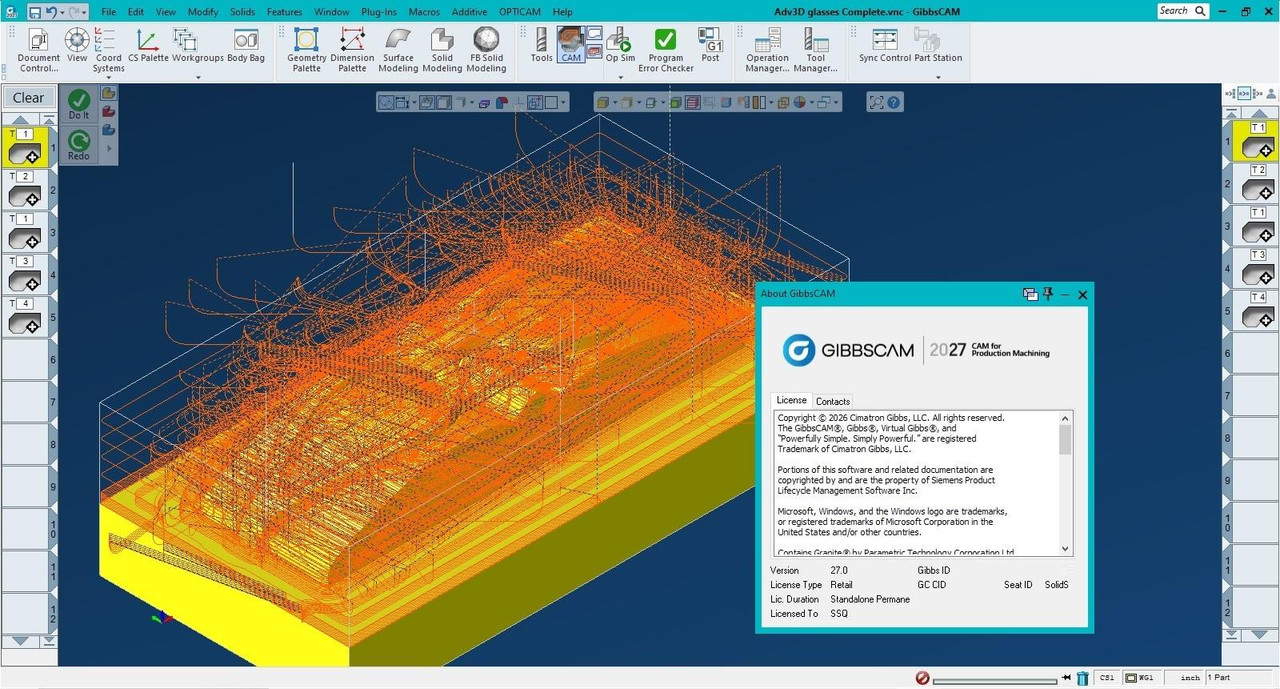
Working with GibbsCAM 2027 v27.0.44.0 full activated

Description of GibbsCAM 2027 v27.0.44.0

GibbsCAM 2027 v27.0.44.0 is an automated program preparation system for CNC machines that combines ease of use and functional power. The basic functionality of the system can be expanded by adding specialized modules. The intuitive user interface provides easy access to geometry, tool, trajectory, verification and post-processing control functions. Flexible programming methods allow you to quickly create optimal processing programs. Well-functioning processing processes can be saved and reused using a knowledge base. Simulation functions help prepare geometry for processing needs by creating framework, surface and solid geometry. The built-in material removal simulation mechanism accurately displays the entire processing processshowing both the change in the geometry of the workpiece over time and all possible collisions. The result of the calculation can be compared with the original geometry of the model by detecting material residues or cuts. Complete associativity between geometry, process parameters and trajectories allows you to quickly change the model and processing parameters and automatically obtain adjusted trajectories.

Features of GibbsCAM 2027 v27.0.44.0

Advanced CNC Milling: Supports 2D, 2.5D, and 3D milling operations with flexible machining strategies.

CNC Turning: Provides comprehensive turning capabilities for conventional and advanced machining applications.

Multi-Axis Machining: Supports 4-axis and simultaneous 5-axis CNC programming for complex components.

Advanced 3D Machining: Includes improved adaptive pocketing, constant stepover, finishing, and toolpath control.

VoluMill Technology: Provides efficient material removal strategies, including rotary roughing capabilities.

Machining Simulation: Offers simulation tools for reviewing machining operations and identifying potential problems.

Improved Tool Management: Provides enhanced tool selection, tool list editing, and tooling workflow capabilities.

Advanced Hole Programming: Includes improved Hole Manager functionality and more flexible hole feature processing.

Multiaxis Finishing: Offers additional rotary finishing, wall finishing, and deburring strategies.

Enhanced User Interface: Includes improved workspace visualization, selection tools, and GibbsCAM Copilot functionality.

Creo 13 Compatibility: Version 27.0.44.0 adds support for importing and opening Creo 13 files.

OptiCAM Integration: Includes an updated OptiCAM release and additional programming enhancements.

If you want to download GibbsCAM 2027 v27.0.44.0 full license, please click to DOWNLOAD button to download.

CLICKDOWN.ORG Download CAD CAM CNC software
Inside package GibbsCAM 2027 v27.0.44.0, already have cracked files and instruction how to install GibbsCAM 2027 v27.0.44.0 step by step. I guarantee you can install GibbsCAM 2027 v27.0.44.0 successfully if you follow that instruction.
If you also can’t install it or get any problems, please contact to me by email: [email protected], then I will help you to install software by teamviewer or Ultraviewer or Anydesk.
Thanks a lot
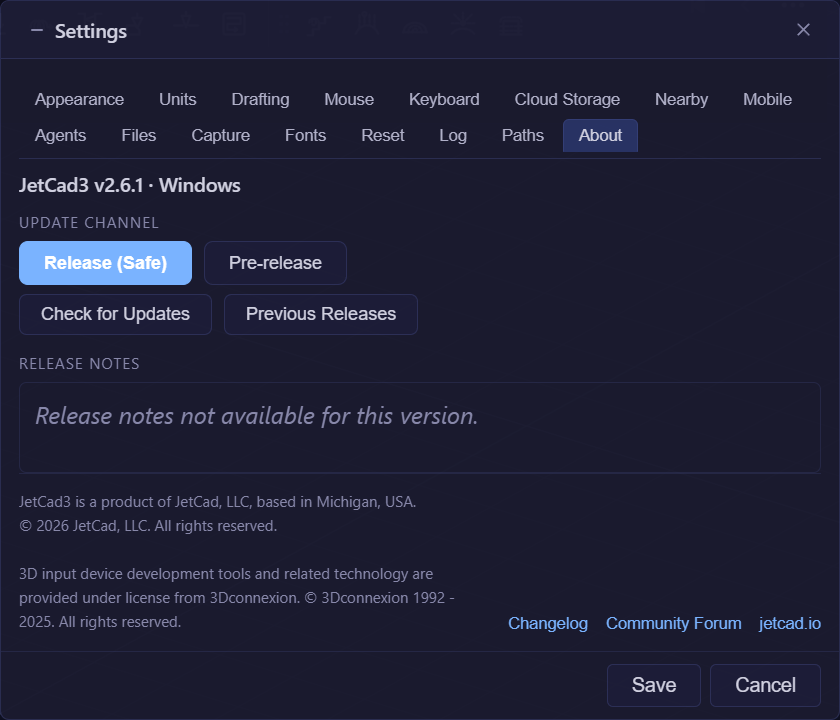
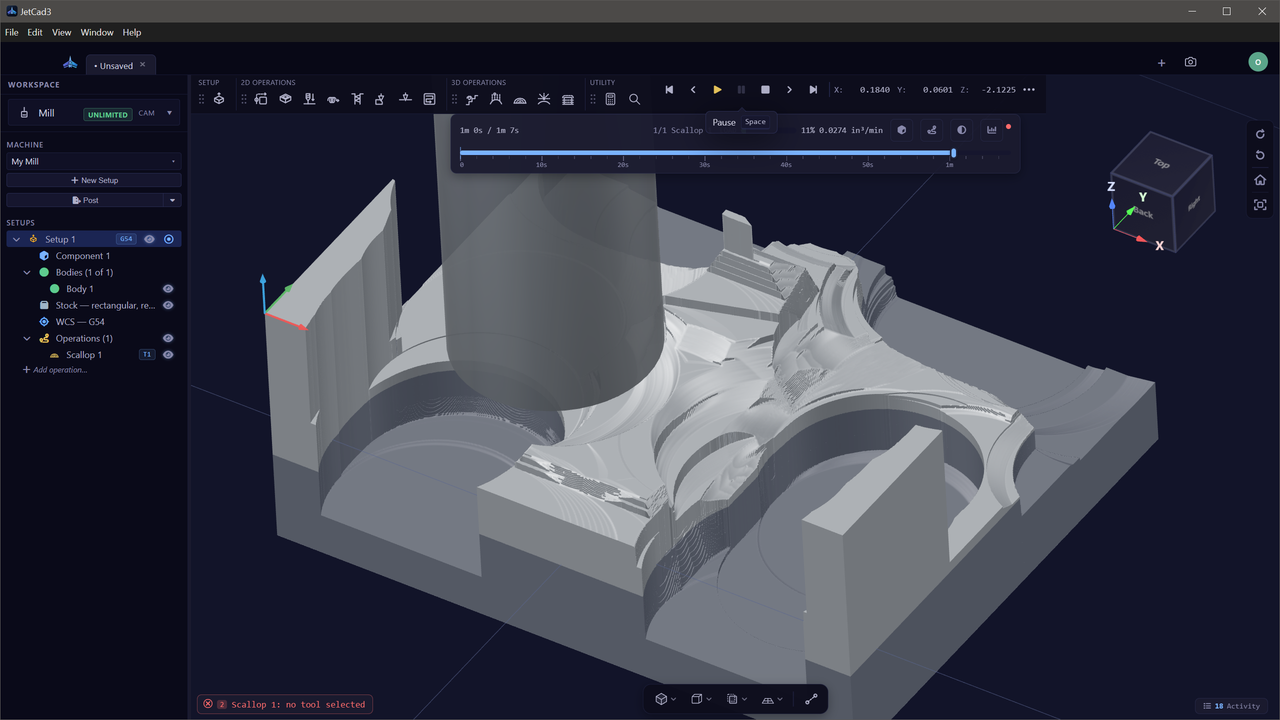
Download JetCad3 2.6.1 win64 full activated 100% working

Download JetCad3 2.6.1 win64 full activated 100% working

Link download JetCad3 2.6.1 x64 full activated

Working with JetCad3 2.6.1 full activated
Working with JetCad3 2.6.1 full license

Description of JetCad3 2.6.1

JetCad3 2.6.1 is a comprehensive CAD/CAM system that combines parametric 2D/3D design, modeling of parts and assemblies with production preparation. Allows you to create drawings, form processing trajectories and generate G-code for CNC milling machines, plasma, laser and oxygen gas cutting, including automatic laying out of workpieces (Nesting).
Offers its own operating system “JC3 Appliance” for controlling CNC equipment, providing direct connection to machines and transmission of control programs.

Features of JetCad3 2.6.1

1. Parametric 3D CAD Modeling
Create editable 3D solid models using parametric features.
Build components with extrude, revolve, sweep, and loft operations.
Perform Boolean union, subtraction, and intersection operations.
Apply fillets, chamfers, drafts, and threaded holes.
Create circular and rectangular patterns.
Use mirror, slice, move, rotate, and scale tools.
Manage multiple bodies and components.

2. Advanced 2D Drafting
Create and edit 2D engineering sketches.
Work with lines, arcs, circles, and other geometric entities.
Import and export DXF and SVG files.
Prepare 2D geometry for manufacturing workflows.
Manage dimensions and editable sketch geometry.

3. CNC CAM Capabilities
Prepare machining operations for CNC manufacturing.
Generate toolpaths for supported manufacturing processes.
Support plasma, laser, oxyfuel, router, and milling workflows.
Configure machine profiles and post-processors.
Generate and export machine-ready G-code.
Preview machining operations before manufacturing.

4. Beta CNC Lathe CAM
Create conventional two-axis X/Z turning setups.
Define round bar and tube stock.
Configure work zero, fixtures, and machining boundaries.
Perform facing, roughing, and finishing operations.
Prepare grooving, parting, drilling, and threading operations.
Simulate stock removal and prepare CNC output.

5. G-codePilot Machine Control
Connect supported CNC machines.
Monitor machine positions and machining progress.
Stream G-code programs to compatible machines.
Control feed overrides and program execution.
Review toolpath information during machining.

6. Multiple File Format Support
Import STEP, IGES, STL, OBJ, and other 3D formats.
Work with DXF and SVG 2D drawings.
Export engineering models in multiple formats.
Save complete projects in the native JC3 format.
Manage machine profiles and post-processors.

7. AI Agent Integration
Connect compatible AI agents through the experimental MCP integration.
Work with project data across supported CAD and CAM workspaces.
Assist with modeling and manufacturing preparation.
Integrate compatible local AI tools and external agent clients.

8. Project Management and Cloud Storage
Organize engineering data in self-contained projects.
Store project documentation and reference files.
Connect Google Drive and OneDrive.
Share projects between computers on a local network.
Maintain project history and supporting information.

9. CNC Machine Connectivity
Use machine profiles for supported CNC configurations.
Monitor toolpaths and machine positions.
Access machine controls through compatible mobile devices.
Review machining history and performance information.
Support practical workshop workflows.

10. Flexible User Interface
Customize toolbars, keyboard shortcuts, and navigation.
Choose light and dark themes.
Adjust display scaling for different monitors.
Access built-in documentation and learning resources.
Work with local projects without requiring a continuous internet connection.

If you want to download JetCad3 2.6.1 full license, please click to DOWNLOAD button to download.
CLICKDOWN.ORG Download CAD CAM CNC software
Inside package JetCad3 2.6.1, already have cracked files and instruction how to install JetCad3 2.6.1 step by step. I guarantee you can install JetCad3 2.6.1 successfully if you follow that instruction.
If you also can’t install it or get any problems, please contact to me by email: [email protected], then I will help you to install software by teamviewer or Ultraviewer or Anydesk.
Thanks a lot

Download AnyBody Technologies Modeling System 8.2.2 x64

Download AnyBody Technologies Modeling System 8.2.2 x64 full license

Link download AnyBody Technologies Modeling System 8.2.2 win64 full activated

Working with AnyBody Technologies Modeling System 8.2.2 full activated
Working with AnyBody Technologies Modeling System 8.2.2 full license
Working with AnyBody Technologies Modeling System 8.2.2 full

Description of AnyBody Technologies Modeling System 8.2.2

AnyBody Technologies Modeling System 8.2.2 is specialized software for biomechanical modeling of the human body. The system allows you to analyze a body model under various conditions, calculate muscle, skeletal, and joint loads, and display the results as simulations and graphs.

Features of AnyBody Technologies Modeling System 8.2.2

Musculoskeletal Modeling: Create detailed human body models containing bones, muscles, joints, and other mechanical structures.

Muscle Force Analysis: Calculate individual muscle forces, muscle activation patterns, and recruitment behavior.

Joint Reaction Analysis: Evaluate joint contact forces, reaction forces, and moments during different activities.

Inverse Dynamics: Calculate internal forces and moments using recorded or simulated movement data.

Kinematic Analysis: Investigate the positions, velocities, and accelerations of body segments and joints.

Force-Dependent Kinematics: Analyze joint movement influenced by applied forces and mechanical interactions.

Motion Capture Integration: Import and process motion capture data using supported C3D and BVH formats.

Anthropometric Scaling: Adapt human body models to different body sizes, shapes, and individual characteristics.

Gait and Movement Analysis: Simulate walking, lifting, sports movements, and everyday human activities.

Ergonomic Assessment: Evaluate human posture, muscle loading, and interaction with workplaces, vehicles, and equipment.

AnyBody Managed Model Repository: Access reusable human body models, simulation examples, and biomechanical applications.

CAD and FEA Integration: Connect biomechanical models with CAD designs and export physiological load cases for supported finite element workflows.

Posture and Motion Prediction: Predict human postures and movements for different mechanical and environmental conditions.

Custom Joint Modeling: Use enhanced AnyStdJointCustom customization options to create custom joint definitions.

Updated License Management: Includes Reprise License Manager version 18 for compatibility with newer license server versions.

What’s New in Version 8.2.2?
AnyBody Modeling System 8.2.2 focuses on minor improvements and refinements, including:
Enabled customization options for the AnyStdJointCustom class.
Updated Reprise License Manager (RLM) to version 18.
Added new code examples to the reference manual.
Improved support for custom joint modeling workflows.

Applications
AnyBody Modeling System is suitable for a wide range of engineering and research applications:
Biomechanical and musculoskeletal research.
Human movement and gait analysis.
Orthopedic implant and medical device development.
Ergonomics and workplace assessment.
Sports science and human performance analysis.
Exoskeleton and assistive device development.
Rehabilitation and clinical research.
Human-machine interaction studies.

If you want to download AnyBody Technologies Modeling System 8.2.2 full license, please click to DOWNLOAD button to download.
CLICKDOWN.ORG Download CAD CAM CNC software
Inside package AnyBody Technologies Modeling System 8.2.2, already have cracked files and instruction how to install AnyBody Technologies Modeling System 8.2.2 step by step. I guarantee you can install AnyBody Technologies Modeling System 8.2.2 successfully if you follow that instruction.
If you also can’t install it or get any problems, please contact to me by email: [email protected], then I will help you to install software by teamviewer or Ultraviewer or Anydesk.
Thanks a lot

Download HSMAdvisor 3.2.4.34738 x86 x64 full activated

Download HSMAdvisor 3.2.4.34738 x86 x64 full license

Link download HSMAdvisor 3.2.4.34738 win32 win64 full activated

Working with HSMAdvisor 3.2.4.34738 full activated
Working with HSMAdvisor 3.2.4.34738 full license
Working with HSMAdvisor 3.2.4.34738 full

Description of HSMAdvisor 3.2.4.34738

HSMAdvisor 3.2.4.34738 is a program for calculating CNC machining parameters: spindle speed, feed rate, cutting depth and width, force, power, torque, and tool deflection. It contains databases of cutting tools and workpiece materials, allows you to create your own tool and cutting mode libraries, and configure machine parameters based on their technical specifications and limitations.

Features of HSMAdvisor 3.2.4.34738

CNC Speed and Feed Calculations: Calculate spindle speeds, feed rates, and cutting parameters for different machining operations.

Milling Calculations: Support for solid end mills, high-performance end mills, indexable cutters, thread mills, and other specialized tools.

Drilling and Tapping: Calculate drilling parameters, tapping speeds, feed rates, and recommended tap hole sizes.

Turning Operations: Calculate cutting conditions for profiling, grooving, and boring applications.

High-Speed Machining: Optimize machining parameters for high-speed and high-efficiency milling strategies.

Chip Thinning Compensation: Apply axial and radial chip thinning calculations to improve machining performance.

Cutting Force Estimation: Calculate cutting forces, tool deflection, torque, and horsepower requirements.

Tool Life Estimation: Evaluate machining conditions to help improve tool durability and reduce tool wear.

Machine Power Analysis: Consider spindle power, torque, RPM, and feed rate limitations when selecting cutting parameters.

Tool Database Management: Create, organize, save, and manage custom cutting tool libraries.

Machine Profiles: Configure machine capabilities to obtain machining recommendations based on actual machine specifications.

Metric and Imperial Units: Switch between metric and inch-based measurements for machining calculations.

CAM Integration: Work with supported CAM integrations, including Mastercam-related tools and other supported integrations.

Offline Operation: Perform machining calculations without requiring a continuous internet connection.

Who Should Use HSMAdvisor?
HSMAdvisor is suitable for:
CNC programmers and machinists.
Mechanical and manufacturing engineers.
CNC milling and turning operators.
CAM programmers and manufacturing professionals.
Engineering students learning CNC machining.
Workshops looking to optimize cutting conditions and tool performance.

If you want to download HSMAdvisor 3.2.4.34738 full license, please click to DOWNLOAD button to download.
CLICKDOWN.ORG Download CAD CAM CNC software
Inside package HSMAdvisor 3.2.4.34738, already have cracked files and instruction how to install HSMAdvisor 3.2.4.34738 step by step. I guarantee you can install HSMAdvisor 3.2.4.34738 successfully if you follow that instruction.
If you also can’t install it or get any problems, please contact to me by email: [email protected], then I will help you to install software by teamviewer or Ultraviewer or Anydesk.
Thanks a lot

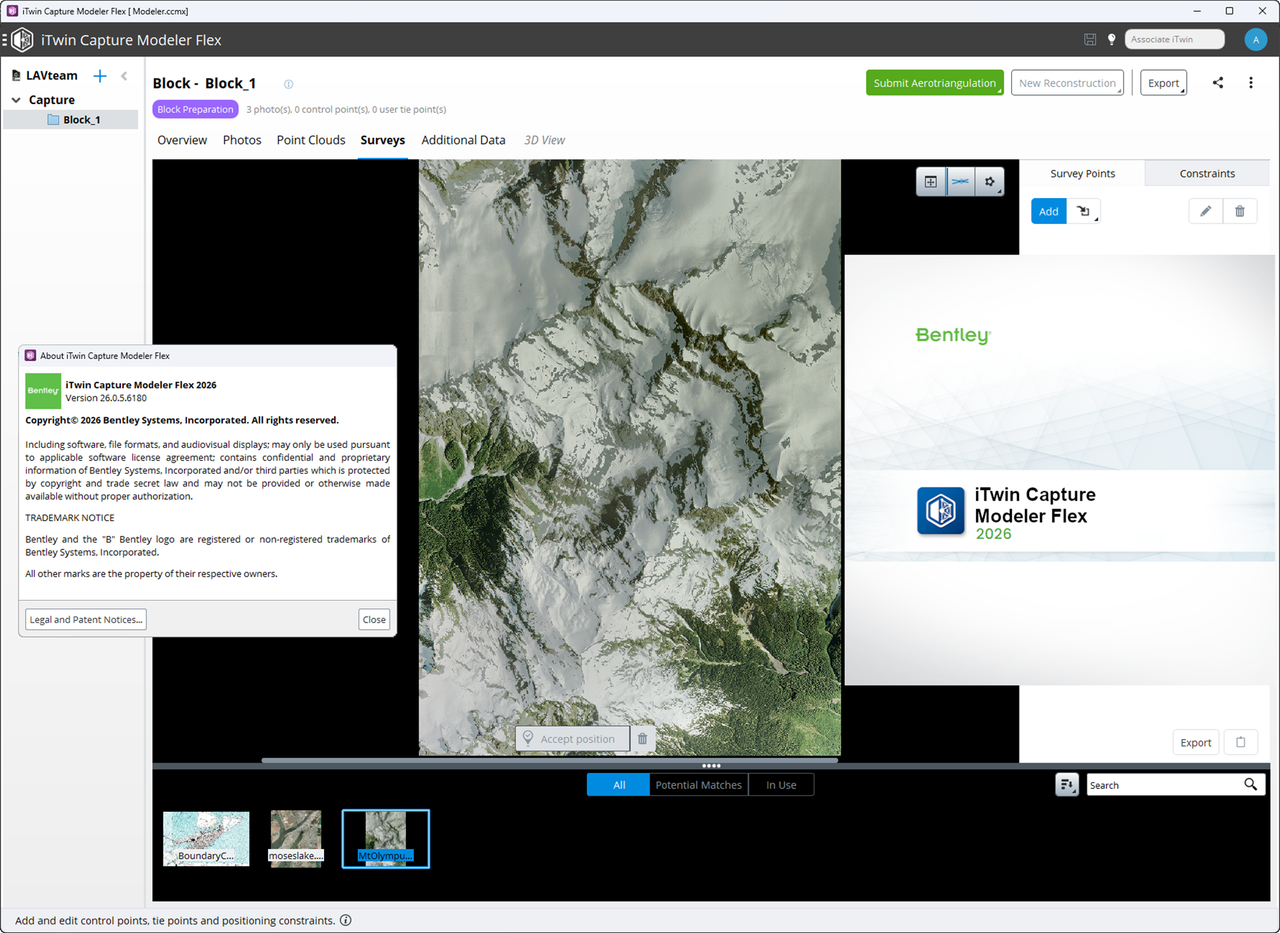
Download Bentley iTwin Capture Modeler Flex 2026 v26.0.5 x64

Download Bentley iTwin Capture Modeler Flex 2026 v26.0.5 x64 full license

Link download Bentley iTwin Capture Modeler Flex 2026 v26.0.5 win64 full activated

Working with iTwin Capture Modeler Flex 2026 v26.0.5 full activated

Description of iTwin Capture Modeler Flex 2026 v26.0.5

Bentley iTwin Capture Modeler Flex 2026 v26.0.5 is a desktop program for working with reality modeling data (photogrammetry, point clouds, 3D models of real objects).

Its purpose is to create and prepare projects obtained using:
– UAVs (drones).
– Aerial photography.
– Ground photography.
– Laser scanning (LiDAR).
– Video filming.

The main idea is to turn photographs and scan data into an exact digital copy of a real object or territory (Digital Twin).

Features of iTwin Capture Modeler Flex 2026 v26.0.5

Photogrammetry Workflow: Import, organize, and manage aerial images and reality capture datasets for photogrammetric projects.
3D Reality Modeling: Prepare and review detailed 3D reality models generated from photographs and LiDAR data.
Gaussian Splats Support: Select, inspect, and work with Gaussian Splats using improved selection tools and Brush mode.
Point Cloud Integration: Import and manage point cloud datasets for geospatial visualization and engineering applications.
Aerial Triangulation: Review camera positions, tie points, GPS information, and project alignment.
GPS Accuracy Improvements: Read GPS standard deviation from image EXIF metadata and use positioning accuracy as a weighting factor in aerotriangulation.
Advanced Clipping Tools: Use clipping planes and visual clipping options to inspect and select specific areas of 3D scenes.
Production Clip Areas: Import and export clipping areas using KML and JSON formats, or create areas from tile selections.
3D Measurement Tools: Measure distances and height differences between two points directly in the 3D view.
Large Project Management: Improved camera and tie-point visualization with cluster display modes for navigating large datasets.
Orthophoto and Point Cloud Workflows: Review, refine, and manage production outputs for professional geospatial applications.
Cloud Processing Integration: Connect with Bentley iTwin Capture Cloud Services for scalable reality data processing.
Improved Project Performance: Benefit from faster block imports, improved visualization, and various stability and workflow enhancements.

What’s New in Version 2026 v26.0.5?
Updated BlocksExchange format to version 3.3.
Added support for ContextScene v6.3.
Introduced Brush mode for Gaussian Splats selection.
Added distance and height-difference measurement options.
Improved visualization and navigation for large scenes.
Added new visual clipping plane functionality.
Enhanced GPS accuracy metadata handling.
Improved production clip area management.
Added additional ground extraction and LAS/LAZ export capabilities.
Improved reference model touch-up workflows.
Fixed several visualization, processing, and project management issues.

Who Should Use Bentley iTwin Capture Modeler Flex?
Bentley iTwin Capture Modeler Flex is suitable for:
Surveyors and geospatial engineers.
Photogrammetry specialists and drone operators.
Civil and infrastructure engineers.
Construction and architecture professionals.
Mapping and GIS specialists.
Digital twin developers and reality capture professionals.

If you want to download iTwin Capture Modeler Flex 2026 v26.0.5 full license, please click to DOWNLOAD button to download.
CLICKDOWN.ORG Download CAD CAM CNC software
Inside package iTwin Capture Modeler Flex 2026 v26.0.5, already have cracked files and instruction how to install iTwin Capture Modeler Flex 2026 v26.0.5 step by step. I guarantee you can install iTwin Capture Modeler Flex 2026 v26.0.5 successfully if you follow that instruction.
If you also can’t install it or get any problems, please contact to me by email: [email protected], then I will help you to install software by teamviewer or Ultraviewer or Anydesk.
Thanks a lot

error: Content is protected !!
Scroll to Top