TRAINING COURSE

All The Training Courses are here

Download Photoshop 2021 for Beginners to Advanced training course

Download Photoshop 2021 for Beginners to Advanced training course

Link download Photoshop 2021 training dvd for Beginners to Advanced

download Photoshop 2021 for Beginners to Advanced course

download Photoshop 2021 for Beginners to Advanced course

Duration: 01:47:59
Release year: 2021
English language
Subtitle language: English

Quality: PCRec
Format: MP4

Description: Welcome to this course to learn how to use Photoshop in simple steps. Whether you’re a beginner or already have some Photoshop skills, this course aims to build your skills in simple steps.
You will learn how to edit raw images and jpegs, crop images, correct horizons, use Spot Healing Brush Tool and Clone Stamp Tool to remove marks and blemishes, and remove marks, you will learn how to use artificial intelligence software to remove sky. quickly and replace them with more dramatic skies using skies from your own images or images included with the software.
You will also learn how to remove the background using artificial intelligence, as well as the selection tool and mask, and replace the background, allowing you to be more creative. You’ll learn how to use the Patch tool and how to change the tint of certain colors in an image. I will also show you how to add text, edit text, and create interesting texts using blend and bevel effects. This is just the beginning…
For download this video training course (Photoshop 2021 for Beginners to Advanced), please click to download sysmbol and complete your checkout to support a little bit to help my website is maintained. The download link will be appeared automatically after you complete your payment.
CLICKDOWN.ORG Download CAD CAM CNC software e1600323925412
After you receive *.zip file, open it and open *.txt instruction’s file to see video for download instruction if you don’t know how to download.
All make sure you’ll get best services and we’ll help you any time when you get any problems. Don’t mind to contact admin: [email protected].
p/s: You also can request somethings which don’t have inside this website, we’ll try our best to them it for you.
Thank you.

Download Simulation using ANSYS Fluent training course

Download Simulation using ANSYS Fluent training course

Link download Simulation using ANSYS Fluent tutorial Videos

Learning Simulation using ANSYS Fluent 2019

Learning Simulation using ANSYS Fluent 2019

Download Simulation using ANSYS Fluent 2019 training course

Download Simulation using ANSYS Fluent 2019 training course

Duration: 35 hours
Type of material distributed: Video lessons (the letters LQ in the title come from lower quality, i.e. in the distribution of files reduced in size due to a smaller, but still tolerable quality and while maintaining the resolution of the videos)
English language

Subtitles: yes
Video format: mkv

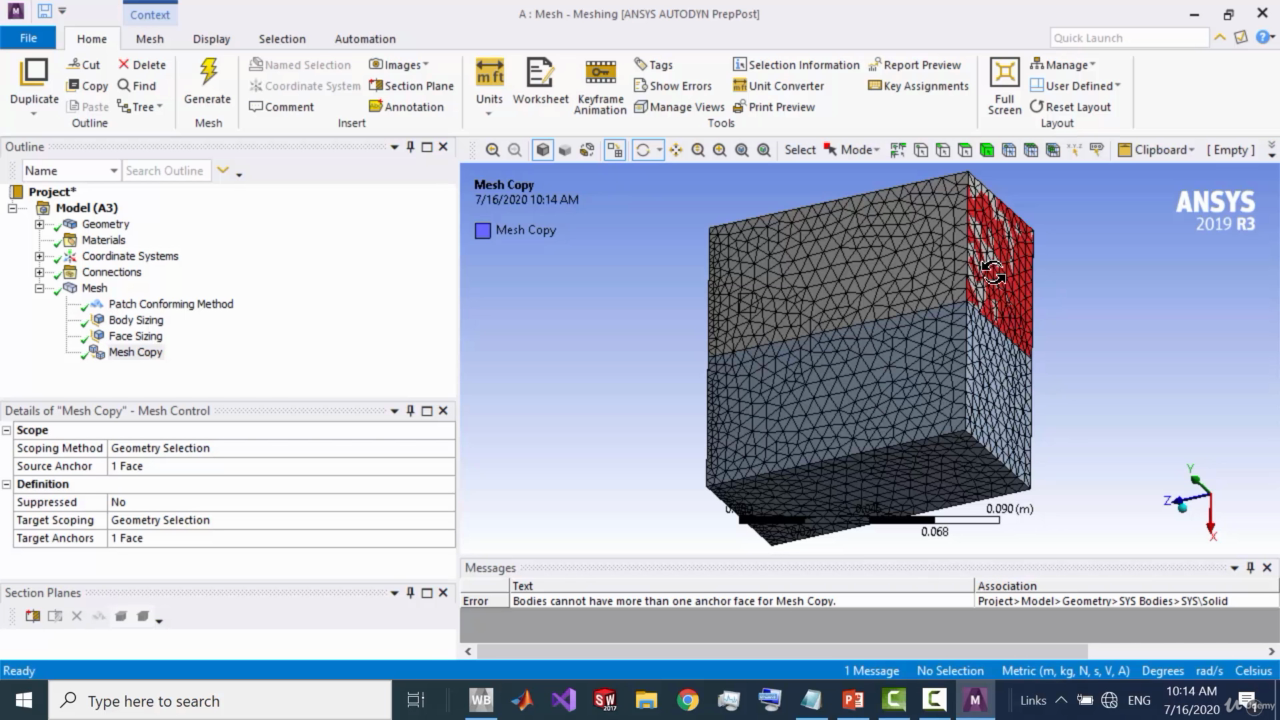
Descriptions: Learn how to work professionally on ANSYS CAD software SpaceClaim, on ANSYS meshing tool and on CFX and Fluent
Since there are two different interfaces(GUIs) for ANSYS workbench ,each video is uploaded in the two GUIs (‘2018R1’ for Workbench versions earlier than 19.3, ‘2019R3’ for Workbench versions after 19.3)
Contents
Session 1:
-intro to FEA
-intro to Space Claim (1-D, 2-D, and 3-D drawings )
Session 2:
-more on Space Claim:
Importing drawings from other CAD software
Drawing flow domain for a 3D wing
importing .txt file to spaceclaim
Using pattern tool in drawing blades
Working on Assembly (assembling parts drawn on space claim, and parts drawn on Solidworks)
Session 3:
-intro to Meshing
-GUI of ANSYS meshing tool
-Meshing three main parts (Global settings, Meshing methods, and Local settings)
-Pipe model mesh (structured mesh)
-Car flow domain mesh
-Aerofoil flow domain mesh
-Aerofoil structured mesh
-2 rectangle blocks domain structured mesh (2D)
-2 rectangle blocks domain structured mesh (3D)
-Mesh quality
Session 4:
-intro to CFD
-GUI of CFX
-Turbulence models, and Boundary conditions
-Solving flow in pipe (comparing different cases) (CFX)
-Solving flow over a car model (CFX)
-Solving flow in a Convergent Divergent nozzle (CFX) (supersonic flow)
Session 5:
-GUI of Fluent
-Solving flow in pipe (comparing CFX and Fluent results)
-Solving flow over aerofoil (Fluent)
-Solving supersonic flow over a wedge (Fluent)
-Solving a combustion chamber case (Fluent)
-Solving a convergent divergent nozzle case(Fluent)
Session 6:
-GUI of CFD-post
-Using CFD-post to view results with all Fluent and CFX projects
-Solving a water filling in a tank case (Fluent)
-heat exchanger- heat transfer (Fluent)
-Solving Rotating Cylinder case (Fluent)
-Simple FSI Fluid Solid interaction case (Fluent)
-Boiling water in a tank case (Fluent)
-Solar load and radiation case (Fluent)
Session 7:
-VAWT (vertical axial wind turbine) (Fluent)
-Pipe in a wall heat transfer (Fluent)
-Car in a garage case (Fluent)
-Gate in a pipe (UDF + dynamic mesh) (Fluent)
-Centrifugal Compressor (Fluent)
-bullets race Advanced FSI case (Fluent)
For download this video training course (Simulation using ANSYS Fluent videos), please click to download sysmbol and complete your checkout to support a little bit to help my website is maintained. The download link will be appeared automatically after you complete your payment.
CLICKDOWN.ORG Download CAD CAM CNC software e1600323925412
After you receive *.zip file, open it and open *.txt instruction’s file to see video for download instruction if you don’t know how to download.
All make sure you’ll get best services and we’ll help you any time when you get any problems. Don’t mind to contact admin: [email protected].
p/s: You also can request somethings which don’t have inside this website, we’ll try our best to them it for you.
Thank you.

Download Microsoft Excel training course from Beginner to Advanced

Download Microsoft Excel training course from Beginner to Advanced

Link download Microsoft Excel 2013 – 2019 course for you
Download Microsoft Excel 2013 - 2019 course

Download Microsoft Excel 2013 – 2019 course

Learning Microsoft Excel 2013 - 2019 course

Learning Microsoft Excel 2013 – 2019 course

Duration: 21h
Handout type: Video tutorial
English language

Descriptions: Microsoft Excel all in One Package
This Microsoft Excel course combines 4 different courses.
Microsoft Excel 101 – An Introduction to Excel
Microsoft Excel 102 – Intermediate Level Excel
Microsoft Excel 103 – Advanced Level Excel
Master Microsoft Excel Macros and VBA in 6 Simple Projects
Topics covered in this course apply to Excel 2007, 2010, 2013, 2016, 2019 (Microsoft/Office 365)
Recent Student Review
“You sir are a life saver. Not everyone has the ability to teach. Thank you so much for taking the time to put together an amazing course bro. If anyone doubts buying this course, don’t doubt it, buy it. I’ve learned so much in this course. Hope more courses are on the way because I’d buy every single one of them. Thanks again bro. God bless you and your family.”
“Happy to say that I now “know” excel. I realize there is so much more to learn, but it’s a start! Thank you for being such a great instructor… now on to the next class.”
“Thanks for a well made course. The progression of topics is well structured and the part about Macro and VBA was new for me. Excel is a really powerful tool and it is worth know all of its aspects. Kyle did a good job at explaining them.”
Enroll now to go through a deep dive of the most popular spreadsheet tool on the market, Microsoft Excel. As a Microsoft Certified Trainer I will use my 20+ years of Excel training to guide you step by step through the beginner to advanced level and beyond.
As you participate in each of the 4 courses you will master Excel tools that will clear away the pain of stumbling through your daily tasks. You will start with the basics, building a solid foundation that will give you further knowledge as you progress into intermediate and advanced level topics.
At completion of this course you will have mastered the most popular Excel tools and come out with confidence to complete any Excel tasks with efficiency and grace. Below are just a few of the topics that you will master:
Creating effective spreadsheets
Managing large sets of data
Mastering the use of some of Excel’s most popular and highly sought after functions (SUM, VLOOKUP, IF, AVERAGE, INDEX/MATCH and many more…)
Create dynamic report with Excel PivotTables
Unlock the power and versatility of Microsoft Excel’s Add-In, PowerPivot
Audit Excel Worksheet formulas to ensure clean formulas
Automate your day to day Excel tasks by mastering the power of Macros and VBA
What’s Included?
18+ Hours of Step by Step Video Lectures by a Microsoft Certified Trainer (MCT)
Downloadable Exercise Files to follow along and practice with
Additional Exercise Files are provided at the end of each major section (101, 102, 103 and VBA) that you can download and practice the skills you’ve learned
Section Quizzes to Test Your Knowledge on the Lecture Topics
QA board where you can post questions, screenshots of your progress and communicate with the instructor and fellow students in the course.
So, what are you waiting for, enroll now and take the next step in mastering Excel and go from Excel Newb to Excel.
Contents
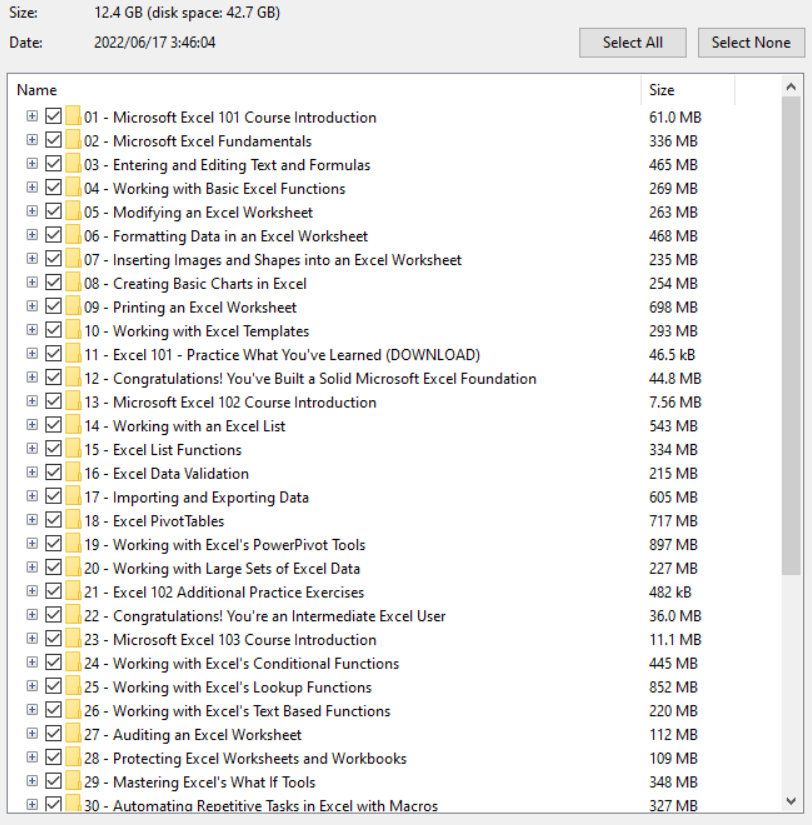
01 – Microsoft Excel 101 Course Introduction
02 – Microsoft Excel Fundamentals
03 – Entering and Editing Text and Formulas
04 – Working with Basic Excel Functions
05 – Modifying an Excel Worksheet
06 – Formatting Data in an Excel Worksheet
07 – Inserting Images and Shapes into an Excel Worksheet
08 – Creating Basic Charts in Excel
09 – Printing an Excel Worksheet
10 – Working with Excel Templates
11 – Excel 101 – Practice What You’ve Learned (DOWNLOAD)
12 – Congratulations! You’ve Built a Solid Microsoft Excel Foundation
13 – Microsoft Excel 102 Course Introduction
14 – Working with an Excel List
15 – Excel List Functions
16 – Excel Data Validation
17 – Importing and Exporting Data
18 – Excel PivotTables
19 – Working with Excel’s PowerPivot Tools
20 – Working with Large Sets of Excel Data
21 – Excel 102 Additional Practice Exercises
22 – Congratulations! You’re an Intermediate Excel User
23 – Microsoft Excel 103 Course Introduction
24 – Working with Excel’s Conditional Functions
25 – Working with Excel’s Lookup Functions
26 – Working with Excel’s Text Based Functions
27 – Auditing an Excel Worksheet
28 – Protecting Excel Worksheets and Workbooks
29 – Mastering Excel’s What If Tools
30 – Automating Repetitive Tasks in Excel with Macros
31 – Excel 103 Additional Practice Exercises
32 – Congratulations!
33 – Microsoft Excel Macros and VBA Course Introduction
34 – Project #1 Using Excel’s Macro Recorder Tool
35 – Excel VBA Concepts
36 – Project #2 Moving Beyond the Basics and into VBA
37 – Project #3 Preparing and Cleaning Up Data with a Little VBA
38 – Project #4 Using VBA to Automate Excel Formulas
39 – Project #5 Bringing it All Together and a Weekly Report
40 – Project #6 Working with Excel VBA User Forms
41 – Project #7 Importing Data from Text Files
42 – Course Wrap Up
For download this video training course (Microsoft Excel 2013-2019) videos), please click to download sysmbol and complete your checkout to support a little bit to help my website is maintained. The download link will be appeared automatically after you complete your payment.

CLICKDOWN.ORG Download CAD CAM CNC software e1600323925412
After you receive *.zip file, open it and open *.txt instruction’s file to see video for download instruction if you don’t know how to download.
All make sure you’ll get best services and we’ll help you any time when you get any problems. Don’t mind to contact admin: [email protected].
p/s: You also can request somethings which don’t have inside this website, we’ll try our best to them it for you.
Thank you.
Download Substance 3D Painter Advance Course for engineer

Download Substance 3D Painter Advance Course for engineer

Link download Substance 3D Painter 2022 training course

Download Substance 3D Painter Advance Course for engineer

Download Substance 3D Painter Advance Course for engineer

Learning Substance 3D Painter 2022

Learning Substance 3D Painter 2022

Duration: 20:17:24
Handout type: Video tutorial
English language
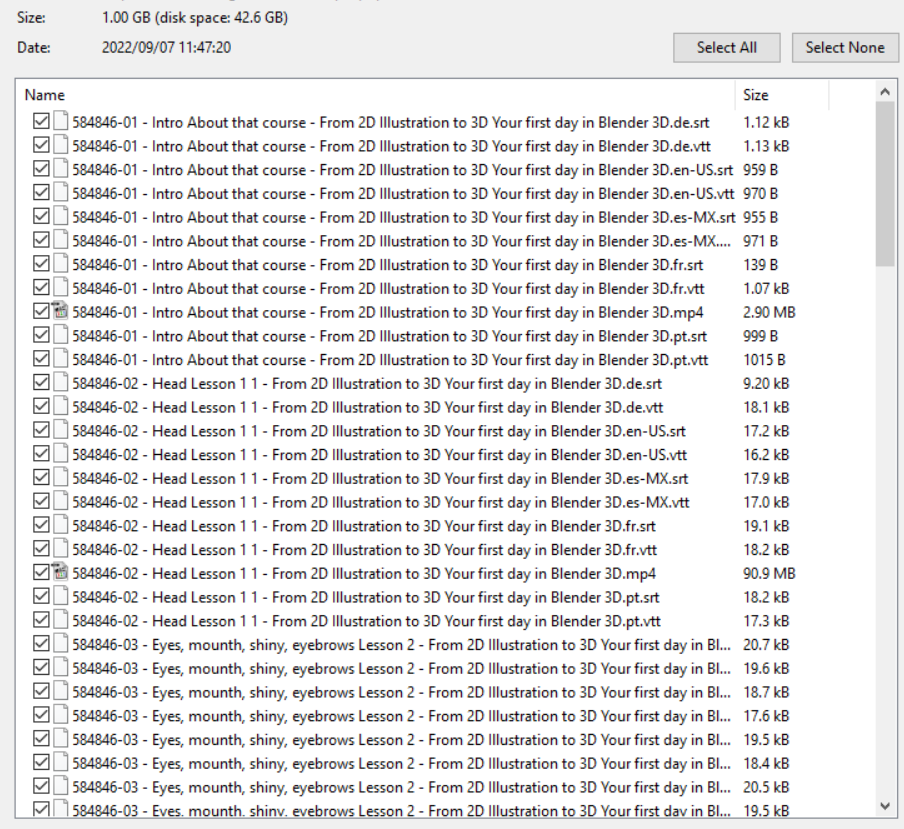
Description: Learn to make texture for a VFX level model from start to finish.
We will start by learning how to export mesh maps from ZBrush and use them to bake in Substance 3D Painter.
Then, we learn how to set up our project and start texturing.
We are going to make every material just with provided assets inside Substance 3D Painter.
Then, we will export our textures using a custom exporting template.
Finally, we will render our scene using Arnold renderer.
IS THIS COURSE RIGHT FOR ME:
This course is for 3D artists interested in creating textures with Substance 3D Painter
WHO IS NOT THE IDEAL STUDENT:
This course is not designed for absolute Substance 3D Painter beginners.
WHAT SHOULD I KNOW OR HAVE FOR THE COURSE:
– I expect you to have some sort of basic texturing experience.
– You should have Substance 3D Painter 8.1.2 and above installed on your computer.
CONTENTS
1. Introduction
2. Chapter 2 Texturing the Monster Character
3. Chapter 3 Texturing the Girl Character
4. Chapter 4 Texturing the Tree Character
5. Chapter 5 Clean up, Export and Render
6. Conclusion
For download this video training course (Substance 3D Painter Advance Course) videos), please click to download sysmbol and complete your checkout to support a little bit to help my website is maintained. The download link will be appeared automatically after you complete your payment.
CLICKDOWN.ORG Download CAD CAM CNC software e1600323925412
After you receive *.zip file, open it and open *.txt instruction’s file to see video for download instruction if you don’t know how to download.
All make sure you’ll get best services and we’ll help you any time when you get any problems. Don’t mind to contact admin: [email protected].
p/s: You also can request somethings which don’t have inside this website, we’ll try our best to them it for you.
Thank you.

Download Learn to Design Your Own Boards [Altium Designer] course

Download Learn to Design Your Own Boards [Altium Designer] course

Link downlaod Learn to Design Your Own Boards training videos

Learn to Design Your Own Boards course for engineer

Learn to Design Your Own Boards course for engineer

Learn to Design Your Own Boards [Altium Designer]

Learn to Design Your Own Boards [Altium Designer]

Duration: 14:34:24
Handout type: Video tutorial
English language

Description: Design a board in 15 hours. Step-by-Step tutorial based on Arduino project (Altium)
Description
Learning a basic board design is essential for everyone who would like to work
in electronics or who would like to design electronic boards or
products. Learning board design in the right software can open you door
into many companies, help you to get a well paid job and can be used to
design very complex and advanced boards.
Design a Real Board and Learn Essentials of Using Altium Designer

Draw your own schematic

Route your PCB and do layout

Generate documentation needed to manufacture your PCB

Altium Designer is a Powerful Software
During this course you will learn how to use Altium Designer software. Altium
Designer is a professional software used to design all kind of boards,
from very simple ones to motherboards or servers. It is one of the most
used software for electronic design. Learning Altium is useful for
everyone planning or already working in electronics.
Contents and Overview
You will start with Arduino Uno reference schematic. You will learn how to
re-draw the schematic, modify it, you will learn how to improve it and
how to do PCB layout. The course videos are step-by-step and even if you
are new in electronics or you have never used Altium Designer before,
by repeating these steps, you will design your own board. By the end of
this course, you will create all the necessary documents needed to
manufacture the board.
Within 15 hours you will learn how to:

Draw schematic, including tips for component selection and important circuits
Create components, draw schematic symbols and footprints
Place components into your PCB
Route PCB and useful tips about layout
Create 3D model of your board
Create board variants with different components fitted / not fitted
Create Bill of Material (BOM)
Create assembly drawings showing position of components on the board
Generate Gerbers, Pick and Place, Drill file and other files needed for manufacturing
Prepare professional documents needed to manufacture your PCB and assemble your board
Bring your board to life, flash firmware and run a simple LED Blinky example

For everyone interested, the manufacturing documents created during this
course can be used to build your board. Simply use PCB manufacturing
data to get your PCB, buy components from Digikey and solder them by
yourself.
Enjoy this course : )

What you’ll learn
After this course, you will design your own Arduino like board.
Requirements
You will need Altium Designer software. If you are a college / university student, ask Altium for a student license. In many countries the student license is free.

Who this course is for:

College / University students: During this course you will learn how to work in
Altium Designer. Altium is one of the most used software in companies
which are designing electronic boards or products. Knowing how to work
in Altium can give you an advantage when applying for a job. As a
college / university student, you may be able to get a free license of
Altium Designer.
Junior / Senior hardware design engineers: During this course you will go through
complete process of designing an electronic board. You will learn all
the steps exactly the way as they are done in a professional company.
After this course you will know everything essential to use Altium
Designer in your job. This course can be very useful when you are
starting with Altium Designer or when you are moving to Altium Designer
from a different CAD system.
Beginners, Hobbyists: If you build your own electronic circuits using wires or
breadboards and you have ever wanted to transfer your circuits into a
real board or real product, this course can help you. During this course
you will learn how you can design your own boards.
Content
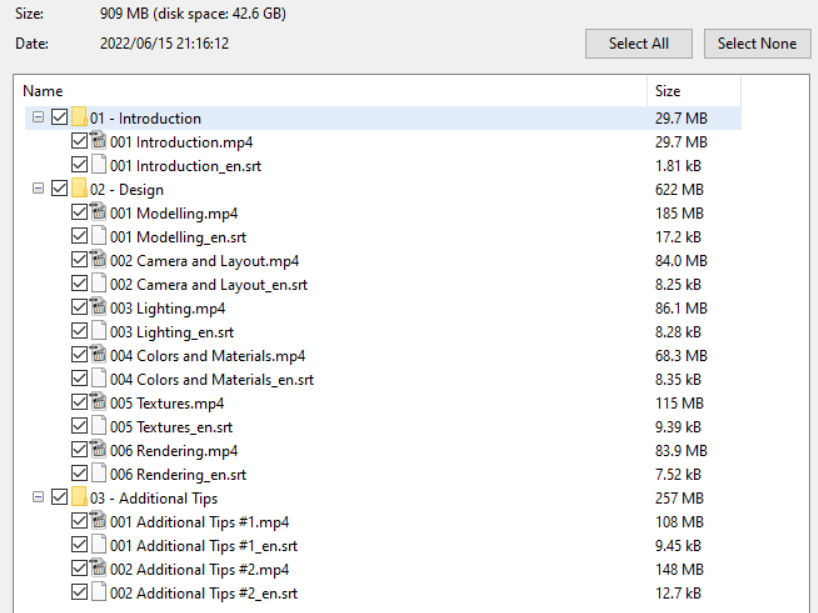
Drawing Schematic and Creating Libraries
79 lectures, 7h 47m / 79 lectures, 7h 47m

Introduction
What will you learn during this course
Download Arduino Schematic and start a new project
Prepare to create ATMEGA328P component
Create ATMEGA328P – Schematic symbol
Create ATMEGA328P – Footprint
Prepare to create ATMEGA16U2 component
Create ATMEGA16U2 – Schematic symbol
Create ATMEGA16U2 – Footprint
How to update an existing component
Create 10 pin female header
Create 8 pin female header
Create 6 pin female header
Connect 10, 8, 6 pin headers
Create 100nF capacitor
About connecting power pins of microcontroller
Create 10uF capacitor
Create Ferrite Bead
Draw power connections
Create 1M resistor
Create 16MHz Crystal
Create 18pF Capacitor
Draw crystal connection and power for 16U2
Create ICSP header
Connect ICSP header
Placing net names
Using schematic filter and schematic inspector
Connecting the rest of the IO connector signals
Create 22 Ohm resistor
About connecting CLOCK, RX and TX
Create 1k Ohm resistor
Connect UART signals
Connecting ICSP1 header
Creating 2×2 male header
Connect 16U2 IO header
About RESET circuit
Creating BUTTON
Create 10k resistor
Creating DIODE
Create AND gate
Connecting RESET circuit
Draw rest of RESET connections
Creating 1×3 male header
Connecting JP1 jumper and 16U2 RESET circuit
Create 1×4 male header
Connecting JP3 jumper
Create Orange LED
Calculating LED resistor
Create 560 Ohm resistor
Create and connect Green Power LED
Connecting User LED
Create +3.3V LDO regulator
Connect +3.3V LDO regulator
About power selection circuit
Create 0R resistor
Draw power selection circuit, about unfitted components
Name some 16U2 nets and about pull up resistors
Create 100k resistor
Connecting 16U2 signals, GND pins, about UCAP
Create 1uF capacitor
Draw UCAP connection and name power & crystal nets
About USB connector + Creating USB connector schematic symbol
Creating USB connector footprint
Connecting USB – Part 1
Create Varistor
Connecting USB – Part 2
Creating 100uF capacitor
Create 2.2uH inductor
Connecting USB – Part 3
Add and connect User Button
Create and connect PADs
Create and add fiducials
Create and add mounting holes
Create and add DIP socket
Create and add LINK (jumper)

Finishing Schematic
6 lectures, 31m / 6 lectures, 31m

Annotating, checking and browsing schematics
Adding notes into schematics
Finishing schematic: About Pages, Title Block and Parameters
About components and BOM (Bill of Material)
Update Altium Designer settings
Importing Schematic into PCB

PCB Placement
12 lectures, 1h 17m / 12 lectures, 1h 17m

Change board shape, place mounting holes and main connectors
How to start placement, place 328P MCU and DIP socket
Change Altium settings, hide designators, setup grid, lock down components
About placement
Placement around 328P MCU
Placement around 16U2 MCU
Place components around USB connector
Placing headers, jumpers and LDO regulator
Placing buttons, 16U2 reset, LEDs
Placing remaining components
3D view of finished placement
About paper model

PCB layout
20 lectures, 3h 30m / 20 lectures, 3h 30m

Preparing for layout
Routing short connections
Routing power nets
Routing ground net
Checking if everything is connected
Current status and about layout procedure for more complex boards
Importing schematic changes into PCB
Drawing power planes (polygons)
Drawing ground planes
More polygons, improving power tracks and power planes
Improving layout Part 1
Improving layout Part 2
Improving layout Part 3
Improving silkscreen layer
Adding gold company logo
Adding assembly drawing layer
Creating a mechanical drawing layer
Adding manufacturing notes layer
Finishing PCB

Manufacturing documentation
14 lectures, 1h 14m / 14 lectures, 1h 14m

Create board variants
Start procedure of releasing your board documentation
Generate and check gerber files
Generating NC drill outputs and drawings
About stackup document
Generate mechanical drawing
Generate top view drawing
Generate BOMs
Generate pick and place file
About stencils
Generate 3D PDF and STEP file
Generate PDF schematic
Back up the project and what next …
Bringing your board to life
6 lectures, 16m / 5 lectures, 16m

How to start with software development
Programming 16U2 MCU
Programming 328P MCU
Reprogram 16U2 MCU
Testing your board

thank you
1 lecture, 1m / 1 lecture, 1m

Thank you very much for signing up for this course
For download this video training course (Learn to Design Your Own Boards) videos), please click to download sysmbol and complete your checkout to support a little bit to help my website is maintained. The download link will be appeared automatically after you complete your payment.
CLICKDOWN.ORG Download CAD CAM CNC software e1600323925412
After you receive *.zip file, open it and open *.txt instruction’s file to see video for download instruction if you don’t know how to download.
All make sure you’ll get best services and we’ll help you any time when you get any problems. Don’t mind to contact admin: [email protected].
p/s: You also can request somethings which don’t have inside this website, we’ll try our best to them it for you.
Thank you.
error: Content is protected !!
Scroll to Top