TRAINING COURSE

All The Training Courses are here

Download SolidWorks 2015 Parts Essential Training videos dvd

Download SolidWorks 2015 Parts Essential Training videos dvd

Link download SolidWorks 2015 Parts design video training course

SolidWorks 2015 Parts Essential Training
download SolidWorks 2015 Parts Essential Training videos

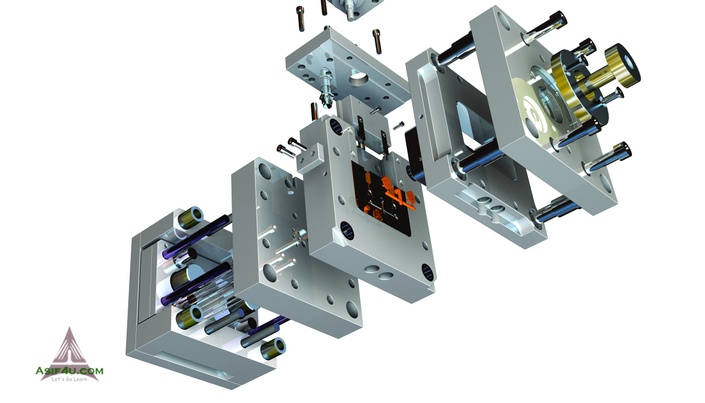
You will start by learning basic and intermediate 3D features, such as extruded and revolved features, lofts, circular patterns, reference geometry and so on. This video tutorial will then cover how to make configuration in part level and teach you what is design intent and what is the best way to design a 3D part. Then this course will also cover lots of intermediate topics such as face fillet, variable fillet, full round fillet, multi-body etc. Then, you will learn how to work with advanced tool such as dome, wrap, indent, intersect, boundary boss. Finally, this course will cover few advanced topic such as advanced pattern type, advanced reference type, equation, advanced loft type, advanced swept type etc.
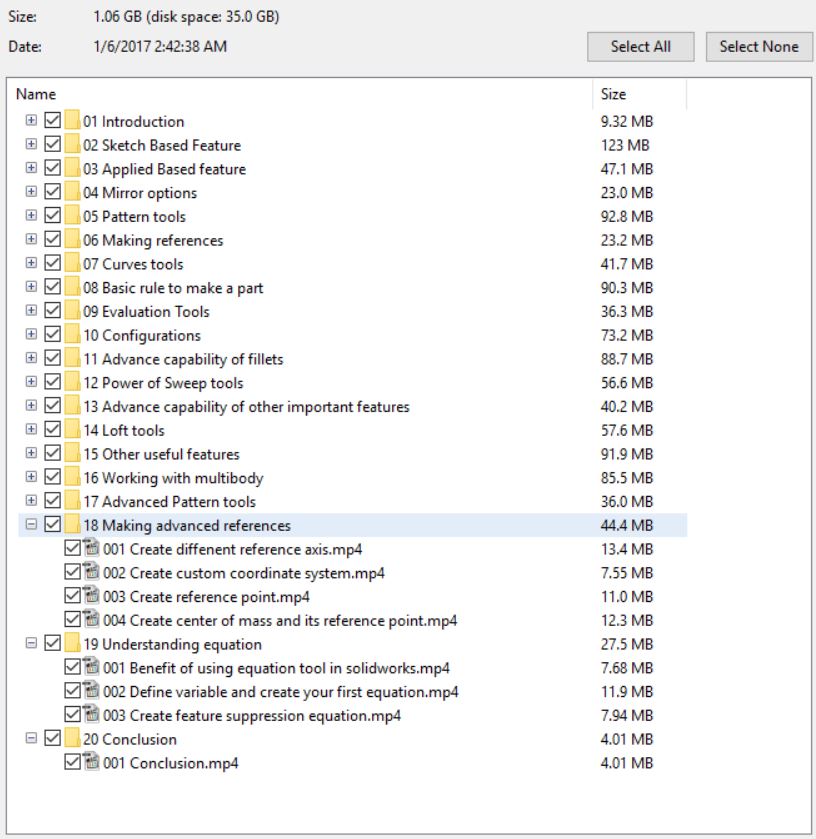
Contents (5.5Hours – 89 individual video lectures)
01. Introduction
02. Sketch Based Feature
03. Applied Based feature
04. Mirror options
05. Pattern tools
06. Making references
07. Curves tools
08. Basic rule to make a part
09. Evaluation Tools
10. Configurations
11. Advance capability of fillets
12. Power of Sweep tools
13. Advance capability of other important features
14. Loft tools
15. Other useful features
16. Working with multibody
17. Advanced Pattern tools
18. Making advanced references
19. Understanding equation
20. Conclusion
If you want this course for your learning and improve your solidworks modeling part skills, click download sysmbol and check out to take this course. Just a little bits to support my website for maintainance.
CLICKDOWN.ORG Download CAD CAM CNC software e1600323925412
If you have any problems which you want to claim, contact admin for more support: [email protected]
Thanks all. Goodluck

download SolidWorks 2015 Assembly Essential Training videos

download SolidWorks 2015 Assembly Essential Training videos

Link download SolidWorks 2015 Assembly Essential video training course

SolidWorks 2015 Assembly Essential Training
download SolidWorks 2015 Assembly Essential Training

In this SolidWorks 2015 Assembly Essential training course, expert author Asif Ahmed, Certified SolidWorks Expert (CSWE) will teach you how to create sketch using the variety of tools in SolidWorks. This course is designed for the absolute beginner, meaning no previous experience with SolidWorks is required. If anyone wants to fill up his/her gap regarding SolidWorks assembly topic, then this is also right course for them.
The ability to learn at your own pace with our intuitive, easy-to-use interface
A quick grasp of even the most complex SolidWorks 2015 assembly Essential subjects because they’re broken into simple, easy to follow tutorial videos.
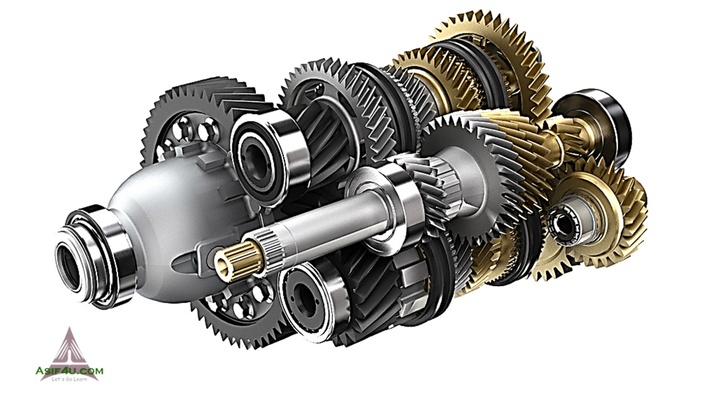
You will start by learning basic and intermediate topics in assembly such as create assembly, positioning parts, apply mate and so on. This video tutorial will then cover how to apply basic mate and different types of mate option. Then this course will also cover lots of intermediate topics such as advanced mate type, handling sub-assembly, apply assembly level features and so on. Then, you will learn how to work with advanced tool such as linear, circular, sketch driven pattern and so on. Finally, this course will also cover few advanced topic such as assembly configuration, fixing mate error, top down assembly etc.
Once you have completed this computer based training course, you will be fully capable of using these tools and techniques to create your own assembly and get control perfectly using this 3D modeling software. Working files are included, allowing you to follow along with the author throughout the lessons. One quiz is also added to evaluate your skill after learning this course.
In this SolidWorks 2015 Assembly Essential training video tutorial series, you’ll quickly have relevant skills for real-world applications.
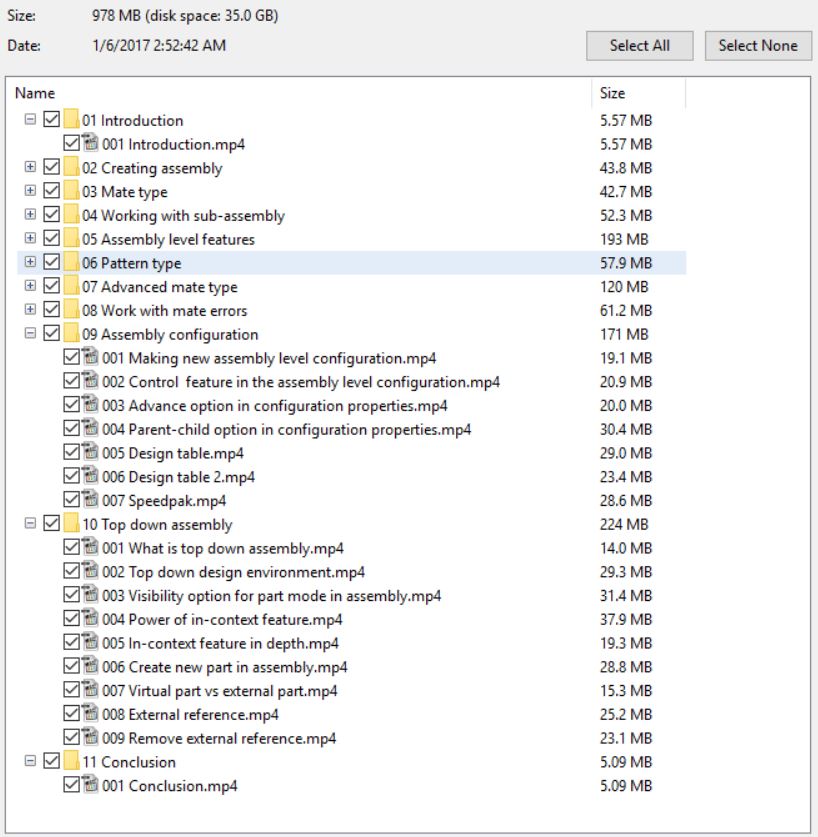
Contents (4.5Hours – 76videos)
Creating Assembly
Making new assembly
Add multi parts
Positioning parts
Add mate to all parts
Apply different type mate
Mate type
Concentric
Parallel mate, Tangent mate and perpendicular mate
Distance
Angle
Smart
Multiple mate mode
Working with sub-assembly
Create sub assembly inside another assembly
Make sub assembly in flexible state
Add empty part to the assembly
Create virtual assembly
Create folder to organize assembly
Assembly level features
Extrude Cut
Feature scope of Extrude Cut
Revolve Cut
Fillet
Chamfer
Weld bead
Hole series
Create smart component
Apply smart component
Belt chain feature
Swept cut
Regular exploded view
Radial exploded view
Interference detection tool
Pattern type
Linear component pattern
Circular component pattern
Pattern driven component pattern
Sketch driven component pattern
Curve driven component pattern
Mirror component
Advanced mate type
Profile center mate
Symmetric mate
Limit distance and angle by mate
Width mate
Path mate
Linear coupler mate
Cam mate
Slot mate
Gear mate
Screw mate
Hinge mate
Work with mate errors
Mate Reference
Capture mate Reference from assembly level
Solve common mate error
Solve mate problem using MateXpert
Replace mate entities
Copy with mates
Assembly configuration
Making new assembly level configuration
Control feature in the assembly level configuration
Advance option in configuration properties
Parent-child option in configuration properties
Design table
Speedpak
Top down assembly
What is top down assembly
Top down design environment
Visibility option for part mode in assembly
Power of in-context feature
In-context feature in depth
Create new part in assembly
Virtual part vs external part
External reference
Remove external reference
If you want this course for your learning and improve your solidworks skills, click download sysmbol and check out to take this course. Just a little bits to support my website for maintainance.
CLICKDOWN.ORG Download CAD CAM CNC software e1600323925412
If you have any problems which you want to claim, contact admin for more support: [email protected]
Thanks all of you.

download Solidworks 2015 Drawing Essential Training video course

download Solidworks 2015 Drawing Essential Training video course

link download Solidworks 2015 Drawing Essential video training dvd

Solidworks 2015 Drawing Essential Training videos
download Solidworks 2015 Drawing Essential Training videos

In this SolidWorks 2015 Drawing Essential training course, expert author Asif Ahmed, Certified SolidWorks Expert (CSWE) will teach you how to create drawing file using the variety of tools in SolidWorks. This course is designed for the absolute beginner, meaning no previous experience with SolidWorks is required. If anyone wants to fill up his/her gap regarding SolidWorks drawing topic, then this is also right course for them.
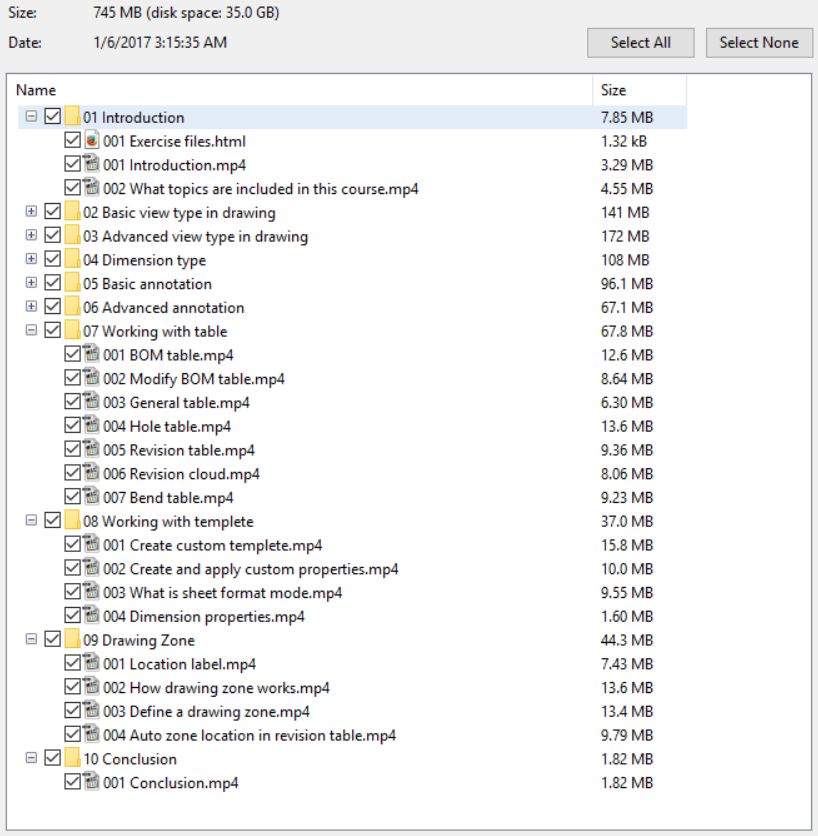
Content (68 video – 4hours)
Section 1: Introduction
Section 2: Basic view type in drawing
Section 3: Advanced view type in drawing
Section 4: Dimension type
Section 5: Basic annotation
Section 6: Advanced annotation
Section 7: Working with table
Section 8: Working with templete
Section 9: Drawing Zone
Section 10: Conclusion
If you want to download this course for your learning, click download sysmbol and check out. You will receive download link after that automatically.
CLICKDOWN.ORG Download CAD CAM CNC software e1600323925412
With any problem which you want to claim, contact admin for resolving: [email protected]
Thanks to all.

download Mechanics of Materials Labs with SolidWorks Simulation 2014 book

download Mechanics of Materials Labs with SolidWorks Simulation 2014 book

Mechanics of Materials Labs with SolidWorks Simulation 2014 tutorial pdf

Mechanics of Materials Labs with SolidWorks Simulation 2014
Content of Mechanics of Materials Labs with SolidWorks Simulation 2014 book

This book is designed as a software-based lab book to complement a standard textbook in a mechanics of material course, which is usually taught at the undergraduate level. This book can also be used as an auxiliary workbook in a CAE or Finite Element Analysis course for undergraduate students. Each book comes with a disc containing video demonstrations, a quick introduction to SolidWorks, and all the part files used in the book.
This textbook has been carefully developed with the understanding that CAE software has developed to a point that it can be used as a tool to aid students in learning engineering ideas, concepts and even formulas. These concepts are demonstrated in each section of this book. Using the graphics-based tools of SolidWorks Simulation can help reduce the dependency on mathematics to teach these concepts substantially. The contents of this book have been written to match the contents of most mechanics of materials textbooks.
There are 14 chapters in this book. Each chapter is designed as one week s workload, consisting of 2 to 3 sections. Each section is designed for a student to follow the exact steps in that section and learn a concept or topic of mechanics of materials. Typically, each section takes 15-40 minutes to complete the exercises.
Each copy of this book comes with a disc containing videos that demonstrate the steps used in each section of the book, a 123 page introduction to Part and Assembly Modeling with SolidWorks in PDF format, and all the files readers may need if they have any trouble. The concise introduction to SolidWorks pdf is designed for those students who have no experience with SolidWorks and want to feel more comfortable working on the exercises in this book. All of the same content is available for download on the book s companion website.
Content
1. Stresses
2. Displacements
3. Strains
4. Stress-Strain Relations
5. Axial Loading
6. Torsion
7. Bending
8. Shear Stresses in Beams
9. Strain Energy
10. Failure Criteria
11. Trusses and Beams
12. Plane Problems
13. Plates and Shells
14. Buckling
If you want to download this book, click download sysmbol and check out a little to support my website maintain better. The download link will appeare after your checkout auto.
CLICKDOWN.ORG Download CAD CAM CNC software e1600323925412
Any problems, contact to admin for more support immediately: [email protected]
Thanks all of you

Learning Simulation Xpress and Flow Xpress in SolidWorks Training Video

Download Learning Simulation Xpress and Flow Xpress in SolidWorks Training Video

Link Simulation Xpress and Flow Xpress in SolidWorks video training dvd

Learning Simulation Xpress and Flow Xpress in SolidWorks Training Video

download Learning Simulation Xpress and Flow Xpress in SolidWorks Training Videodownload Learning Simulation Xpress and Flow Xpress in SolidWorks Training Video

In this project-based Learning Simulation Xpress and Flow Xpress in SolidWorks video tutorial series, you’ll quickly have relevant skills for real-world applications.
Follow along with our expert instructor in this training course to get:
Concise, informative and broadcast-quality Learning Simulation Xpress and Flow Xpress in SolidWorks training videos delivered to your desktop
The ability to learn at your own pace with our intuitive, easy-to-use interface
A quick grasp of even the most complex Learning Simulation Xpress and Flow Xpress in SolidWorks subjects because they’re broken into simple, easy to follow tutorial videos
Practical working files further enhance the learning process and provide a degree of retention that is unmatched by any other form of Learning Simulation Xpress and Flow Xpress in SolidWorks tutorial, online or offline… so you’ll know the exact steps for your own projects.
Content(1.5hours)
01. Introduction
02. Getting Started
03. Simulation Xpress Introduction
04. Simulation Xpress – Handle
05. Simulation Xpress – Linkage
06. Introduction To Flow Xpress
07. Flow Xpress – Valve
08. Flow Xpress – Velocity Stack
09. Xpress Versus Full Simulation
10. Conclusion
If you want to download this course, click download sysmbol and check out a little to support to maintain my website. The link will appeare after your check out automatically.
CLICKDOWN.ORG Download CAD CAM CNC software e1600323925412
Any problems, contact admin for more support: [email protected]
Thank all friends

error: Content is protected !!
Scroll to Top