Download CyberStrak 2.1 for Rhinoceros 7-8 x64 full activated

Cyberstrak 2.1 for Rhinoceros 7-8 – Advanced 3D Modeling Plugin

Cyberstrak 2.1 for Rhinoceros 7-8 is an advanced modeling plugin designed to extend the capabilities of Rhino 3D. It provides specialized tools for NURBS curve and surface modeling, control vertex editing, surface blending, mesh modeling, reverse engineering, and geometric analysis.

The plugin helps designers and engineers create, modify, and refine complex 3D geometry with greater control. Its integrated analysis tools support curvature evaluation, surface deviation measurement, section analysis, and transition quality inspection.

Version 2.1 introduces several workflow improvements, including persistent command preferences, enhanced Dockbar functionality, improved surface blending options, and more precise section and deviation calculations.
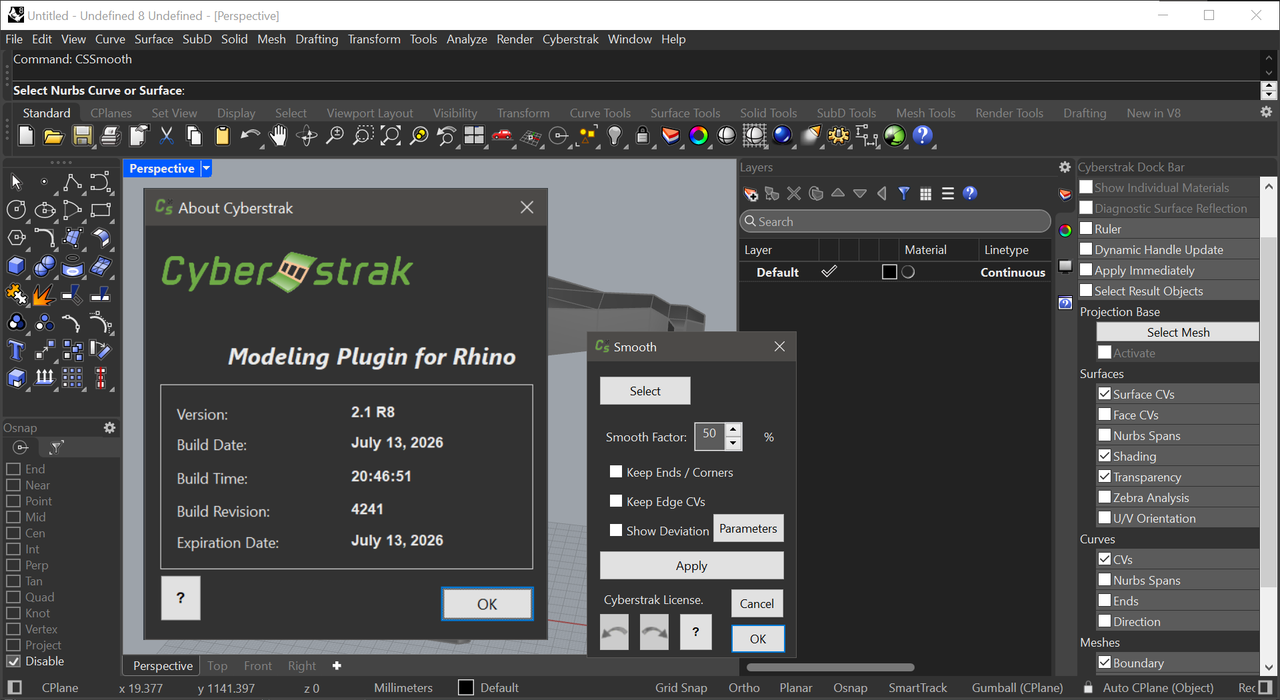
Working with CyberStrak 2.1 for Rhinoceros 7-8 full activated

Features of CyberStrak 2.1 for Rhinoceros 7-8

1. Advanced NURBS Modeling

Modify NURBS curves and surfaces.

Edit control vertices (CVs).

Work with selected CVs, curve bars, and CV rows.

Refine complex surface geometry.

Improve control over modeling operations.

2. Surface Creation

Create surfaces from multiple boundary curves.

Generate surfaces from three curves.

Create surfaces from two to four edge curves.

Control surface degree and spans.

Generate NURBS surfaces using reference geometry.

3. Advanced Surface Blending

Create blends between surface edges.

Control tangent and curvature continuity.

Use the Flip Edge option to adjust blend orientation.

Use Different Lengths for improved CV distribution.

Automatically activate Partial mode for supported split edges.

4. Surface Matching

Match surface edges with reference geometry.

Support tangency matching.

Support curvature matching.

Use Keep Lengths for greater control over CV distribution.

Improve surface transition quality.

5. Reverse Engineering and Mesh Modeling

Use meshes as Projection Bases.

Create curves and surfaces on reference meshes.

Modify geometry in relation to scanned models.

Select and edit mesh areas.

Support workflows for reconstructing NURBS geometry.

6. Dynamic Sketching and Curve Modeling

Create curves through sketching tools.

Use dynamic curve sketching.

Project curves onto selected reference meshes.

Maintain command preferences across Rhino sessions.

Improve curve modeling flexibility.

7. Curvature Analysis

Analyze curvature on NURBS curves.

Evaluate surface curvature.

Use both U and V isocurves as calculation references.

Inspect geometric smoothness.

Support better surface quality control.

8. Section and Deviation Analysis

Create sections through curves and surfaces.

Use the new Super Fine density level for more precise calculations.

Analyze geometric deviations between objects.

Inspect differences between reference meshes and NURBS surfaces.

Evaluate surface quality during modeling.

9. Improved Dockbar and Workflow

New Apply Immediately mode in supported commands.

Recalculate geometry immediately after changing options.

Remember command preferences between sessions.

Separate Zebra display settings for meshes and surfaces.

Use Rhino’s native Zebra display options when required.

10. Local Undo and Redo

Undo individual modeling operations.

Redo previous changes.

Compare different modeling stages.

Refine complex geometry more efficiently.

Maintain greater control over the modeling process.

Who Should Use Cyberstrak 2.1?

Cyberstrak is suitable for:

Rhino 3D users and designers.

Industrial and product designers.

Automotive surface designers.

Class-A surface modeling specialists.

Mechanical engineers.

Reverse engineering professionals.

NURBS modeling specialists.

3D CAD designers.

Surface quality inspection professionals.

Engineers working with scanned mesh data.

If you want to download CyberStrak 2.1 for Rhinoceros 7-8 full license, please click to DOWNLOAD button to download.

CLICKDOWN.ORG Download CAD CAM CNC software
Inside package CyberStrak 2.1 for Rhinoceros 7-8, already have cracked files and instruction how to install CyberStrak 2.1 for Rhinoceros 7-8 step by step. I guarantee you can install CyberStrak 2.1 for Rhinoceros 7-8 successfully if you follow that instruction.
If you also can’t install it or get any problems, please contact to me by email: [email protected], then I will help you to install software by teamviewer or Ultraviewer or Anydesk.
Thanks a lot
Download Maxon ZBrush 2027.1.0.1 win64 full activated

Maxon ZBrush 2027.1.0.1 – Professional Digital Sculpting Software

Maxon ZBrush 2027.1.0.1 is a professional digital sculpting and 3D modeling software designed for artists, designers, game developers, and visual effects professionals. It provides powerful sculpting brushes, advanced polygon modeling, digital painting, texturing, and detailed character creation tools.

ZBrush 2027 introduces new workflow improvements, including Maxon Review integration, enhanced multitouch support, and various stability fixes. Artists can share 3D models for feedback, receive comments directly inside ZBrush, and improve collaboration throughout the creative process.

With its extensive sculpting toolset and flexible modeling environment, ZBrush helps users create highly detailed characters, creatures, environments, props, collectibles, and production-ready 3D assets.

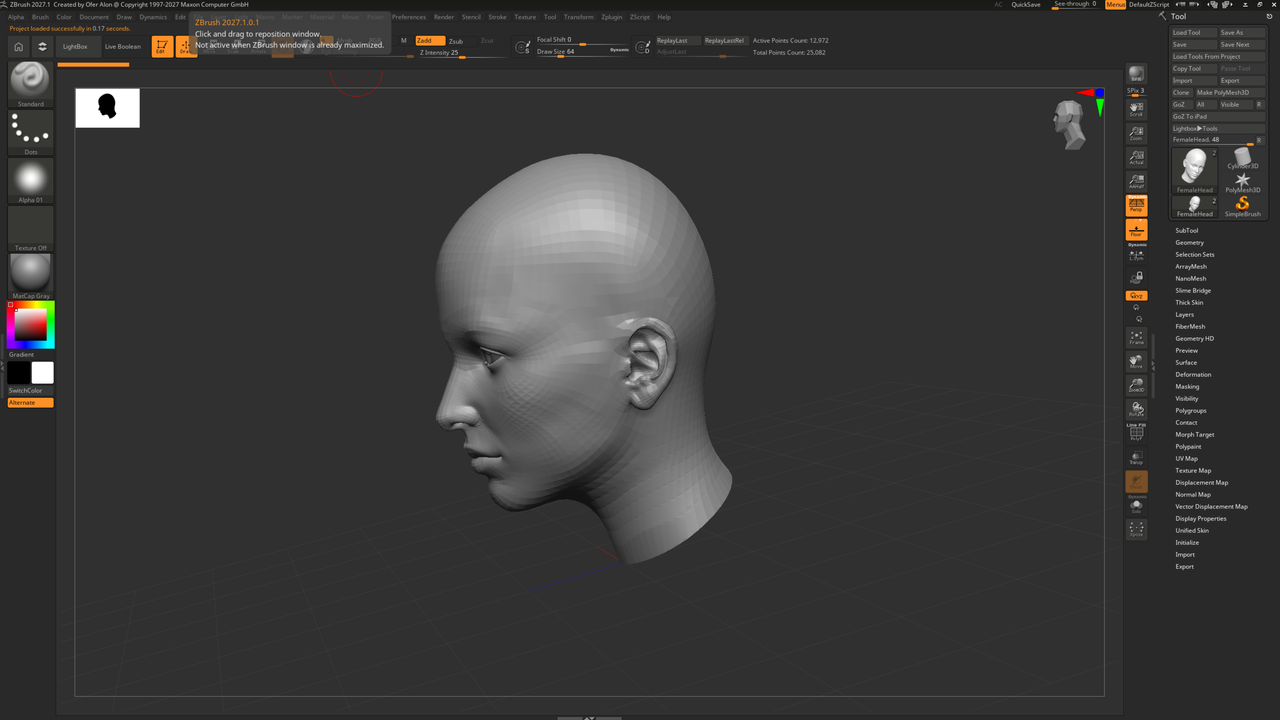
Working with Maxon ZBrush 2027.1.0.1 full activated

Features of Maxon ZBrush 2027.1.0.1

1. Advanced Digital Sculpting

Professional digital clay sculpting tools.

Extensive customizable brush library.

High-resolution surface detailing.

Organic and hard-surface sculpting.

Real-time sculpting workflow.

2. Maxon Review Integration

Share 3D models through web links.

Receive feedback directly from reviewers.

Add pinned comments to specific model locations.

Draw annotations over 3D models.

Review different model variations.

Synchronize feedback and camera positions with ZBrush.

3. UV Editor

Dedicated UV editing environment.

Create and edit UV layouts.

Automatic UV unwrapping.

UDIM workflow support.

Texel density integration.

Flexible UV packing options.

Trim sheet workflows.

4. Selection Sets

Save different sculpting states.

Store Polygroups and masking information.

Save Polypaint and UV configurations.

Store multiple morph targets.

Switch between saved selections quickly.

Improve complex project management.

5. Advanced 3D Modeling

ZModeler polygon modeling tools.

Dynamesh dynamic topology.

ZRemesher automatic retopology.

Subdivision surface modeling.

Flexible mesh editing.

Advanced geometry manipulation.

6. Powerful Sculpting Brushes

Standard sculpting brushes.

Clay and ClayBuildup brushes.

Move, Smooth, and Inflate tools.

IMM and VDM brush support.

Custom brush creation.

Detailed surface refinement.

7. Digital Painting and Texturing

Polypaint vertex-based painting.

Custom material application.

Spotlight image-based painting.

Advanced masking tools.

Texture and color management.

High-resolution surface detailing.

8. Advanced Geometry Management

SubTool organization.

Dynamic Subdivision.

3D Layers for non-destructive sculpting.

Morph targets and shape editing.

Mesh extraction and remeshing.

Advanced topology workflows.

9. Improved Multitouch Support

Multitouch support for Apple ProMotion displays.

Touch support when using an iPad with an Apple desktop or laptop through Sidecar.

More flexible interaction with compatible touch displays.

10. Performance and Stability Improvements

Improved application stability.

Fixed several Decimation Master issues.

Improved Retopology brush behavior.

Fixed Unified Skin crashes.

Improved Dynamic Subdivision display.

Corrected MorphUVs issues with problematic UVs.

Improved undo and redo behavior for temporary retopology geometry.

Who Should Use Maxon ZBrush 2027?

ZBrush is suitable for:

3D character artists.

Digital sculptors.

Game developers.

Film and VFX artists.

Animation professionals.

3D modelers and designers.

Collectible and figurine designers.

3D printing professionals.

Concept artists.

Product visualization specialists.

If you want to download Maxon ZBrush 2027.1.0.1 full license, please click to DOWNLOAD button to download.
CLICKDOWN.ORG Download CAD CAM CNC software
Inside package Maxon ZBrush 2027.1.0.1, already have cracked files and instruction how to install Maxon ZBrush 2027.1.0.1 step by step. I guarantee you can install Maxon ZBrush 2027.1.0.1 successfully if you follow that instruction.
If you also can’t install it or get any problems, please contact to me by email: [email protected], then I will help you to install software by teamviewer or Ultraviewer or Anydesk.
Thanks a lot
Download GibbsCAM 2027 v27.0.45.0 win64 full activated

GibbsCAM 2027 v27.0.45.0 – Advanced CNC Programming Software

GibbsCAM 2027 v27.0.45.0 is a powerful CAD/CAM software solution developed for CNC machining, manufacturing engineering, and NC programming. It provides comprehensive tools for CNC milling, turning, mill-turn, multi-task machining, and advanced 5-axis machining.

This release introduces improvements in machining simulation, Advanced 3D Machining, toolpath visualization, drilling operations, turning strategies, and multiaxis programming. With enhanced workspace visualization and more efficient programming workflows, GibbsCAM 2027 helps CNC programmers improve machining accuracy, optimize production processes, and handle complex manufacturing requirements.

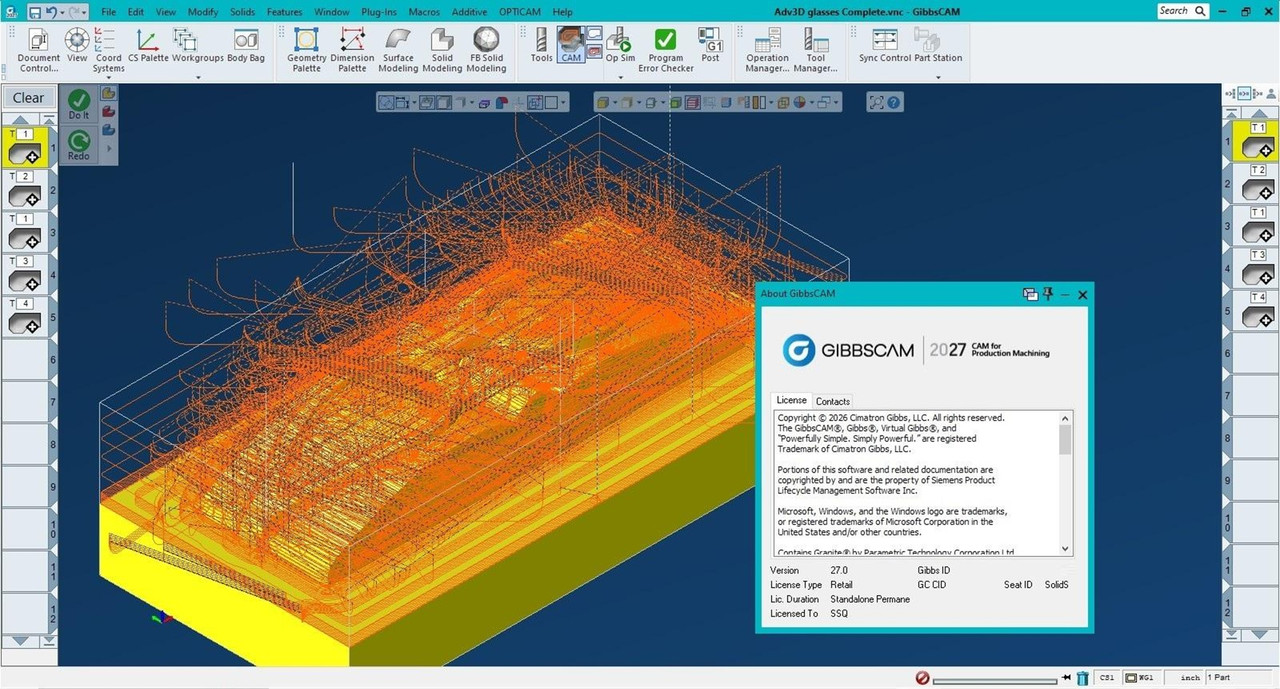
Working with GibbsCAM 2027 v27.0.45.0 full activated

Features of GibbsCAM 2027 v27.0.45.0

1. Advanced CNC Programming

Comprehensive CNC programming environment.

Support for milling and turning operations.

Advanced multiaxis machining strategies.

Flexible programming for complex components.

Efficient NC code generation.

2. CNC Milling and Turning

2D and 2.5D milling capabilities.

3-axis, 4-axis, and simultaneous 5-axis machining.

Advanced CNC turning operations.

Mill-turn and multitasking machining support.

Specialized machining strategies for complex parts.

3. Advanced 3D Machining

Improved Adaptive Pocketing strategies.

Enhanced flat machining operations.

Constant stepover improvements.

Helical linking enhancements.

Improved toolpath trimming and cleanup.

Better control over machining parameters.

4. Improved CNC Simulation

Reverse-Rewind simulation functionality.

Improved machining process visualization.

Chip Manager for handling detached chips.

Stop at Chip Creation option.

Better inspection of machining sequences.

5. Enhanced Workspace Visualization

Display tools directly on toolpaths.

View in-process stock for selected operations.

Visualize machine assemblies and fixtures.

Improved rendering of parts, tools, and machine components.

Review machining setups more efficiently.

6. Multiaxis and 5-Axis Machining

Expanded multiaxis finishing capabilities.

New rotary machining roughing strategies.

VoluMill rotary roughing support.

Improved Geodesic Morph finishing.

Additional rotary finishing options.

Enhanced deburring controls.

7. Advanced CNC Turning

Oscillating Thread Turning strategy.

Improved threading workflows.

Enhanced turning process flexibility.

Better integration with recommended cutting data.

Improved machining control.

8. Drilling and Hole Management

Split through-hole features into multiple hole features.

Apply hole processes to connector and terminator points.

Improved drilling workflow management.

More flexible hole feature programming.

9. Tool and Machine Management

Direct access to Tool Dialog from Tool List Editor.

Improved tool preview information.

Spindle rotation direction displayed in tool previews.

Better machine setup visualization.

Improved tooling and fixture management.

10. GibbsCAM Copilot and Productivity

Improved GibbsCAM Copilot responses.

Image support and source reference links.

Enhanced Multi-Select and Range-Select modes.

Undo and Redo support for machining markers.

Scalable points, labels, and coordinate system markers.

11. CAD Integration and Geometry Handling

Import and work with different CAD models.

Modify and prepare part geometry.

Support complex manufacturing models.

Integrate CAD geometry into CNC programming workflows.

12. Version 27.0.45.0 Improvements

Fixed missing W1 axis options in approach information.

Resolved issues with part stations in broaching processes.

Corrected event location scaling.

Fixed insert display issues in Machine Simulation.

Improved metric and inch scaling for tool holders and fixtures.

Fixed Adaptive Pocketing redo operation issues.

Who Should Use GibbsCAM 2027?

GibbsCAM 2027 is suitable for:

CNC programmers and machinists.

Mechanical engineers.

Manufacturing engineers.

CNC milling and turning operators.

5-axis machining specialists.

CAD/CAM engineers.

Tool and die manufacturers.

Automotive and aerospace manufacturers.

Precision machining companies.

If you want to download GibbsCAM 2027 v27.0.45.0 full license, please click to DOWNLOAD button to download.
CLICKDOWN.ORG Download CAD CAM CNC software
Inside package GibbsCAM 2027 v27.0.45.0, already have cracked files and instruction how to install GibbsCAM 2027 v27.0.45.0 step by step. I guarantee you can install GibbsCAM 2027 v27.0.45.0 successfully if you follow that instruction.
If you also can’t install it or get any problems, please contact to me by email: [email protected], then I will help you to install software by teamviewer or Ultraviewer or Anydesk.
Thanks a lot
Download CAMWorks ShopFloor 2027 SP0 win64 full activated

CAMWorks ShopFloor 2027 SP0 – Smart CNC Manufacturing Software

CAMWorks ShopFloor 2027 SP0 is a digital manufacturing solution designed to improve communication between CNC programmers and shop floor operators. It provides access to 3D part models, machining information, tool lists, setup sheets, toolpath simulations, and G-code programs through a single interface.

With CAMWorks ShopFloor, machinists can inspect part geometry, review machining operations, simulate toolpaths, and verify CNC programs before production. The software helps reduce setup time, minimize machining errors, improve production efficiency, and support modern paperless manufacturing environments.

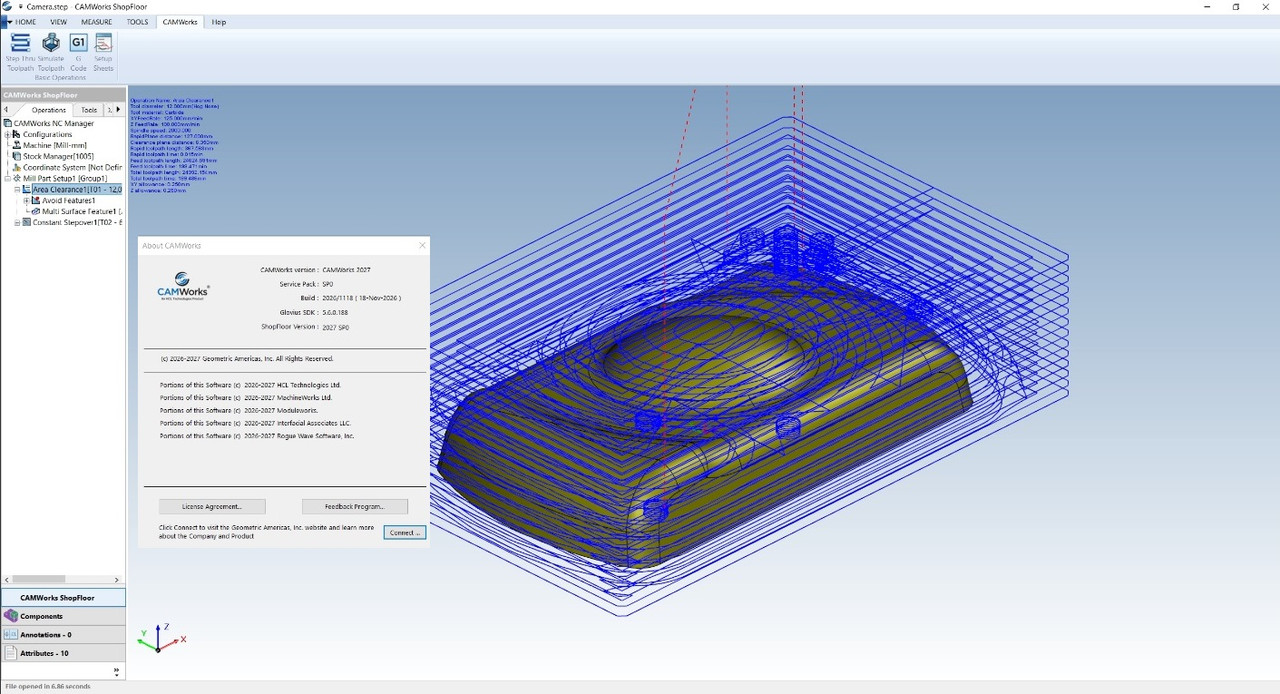
Working with CAMWorks ShopFloor 2027 SP0 full activated

Features of CAMWorks ShopFloor 2027 SP0

1. 3D CAD Model Visualization

Open and view 3D part and assembly models.

Rotate, pan, and zoom models.

Use dynamic section views to inspect internal geometry.

Perform linear, radial, angular, and area measurements.

2. MBD and PMI Information

Display manufacturing dimensions and annotations.

View Product Manufacturing Information (PMI).

Search and filter manufacturing data.

Improve communication between engineering and production departments.

3. CNC Toolpath Simulation

Visualize CNC machining toolpaths.

Simulate individual machining operations.

Review complete machining programs.

Visualize material removal during machining simulation.

4. Step-Through CNC Simulation

Step through individual tool movements.

Review machining sequences.

Inspect cutting operations before production.

Help identify potential programming issues.

5. Digital Setup Sheets

Access digital machining setup information.

Review machining operation details.

View important manufacturing documentation.

Reduce dependence on printed setup sheets.

6. Tool List Management

View machining tool information.

Review tool lists associated with CNC operations.

Access tool-related manufacturing data.

Improve CNC machine preparation.

7. Integrated NC Editor

Open and review CNC G-code programs.

Edit NC program information.

Use back-plotting capabilities.

Review programmed tool movements.

8. Automatic CAD/CAM File Checking

Monitor changes to CAD and CAM information.

Identify differences between manufacturing files.

Help prevent machining with outdated part revisions.

Maintain consistency between engineering and shop floor data.

9. Smart Manufacturing Integration

Combine manufacturing information in a digital environment.

Improve communication between CNC programmers and machinists.

Support paperless manufacturing workflows.

Help reduce production errors and downtime.

10. Improved Production Efficiency

Reduce CNC setup and verification time.

Minimize unnecessary machine testing.

Improve machining quality and consistency.

Support more efficient manufacturing operations.

Who Should Use CAMWorks ShopFloor 2027 SP0?

CAMWorks ShopFloor is suitable for:

CNC machinists and machine operators.

CNC programmers.

Manufacturing engineers.

Mechanical engineers.

Production supervisors.

Quality control technicians.

Manufacturing companies using CNC milling, turning, and mill-turn machines.

If you want to download CAMWorks ShopFloor 2027 SP0 full license, please click to DOWNLOAD button to download.
CLICKDOWN.ORG Download CAD CAM CNC software
Inside package CAMWorks ShopFloor 2027 SP0, already have cracked files and instruction how to install CAMWorks ShopFloor 2027 SP0 step by step. I guarantee you can install CAMWorks ShopFloor 2027 SP0 successfully if you follow that instruction.
If you also can’t install it or get any problems, please contact to me by email: [email protected], then I will help you to install software by teamviewer or Ultraviewer or Anydesk.
Thanks a lot

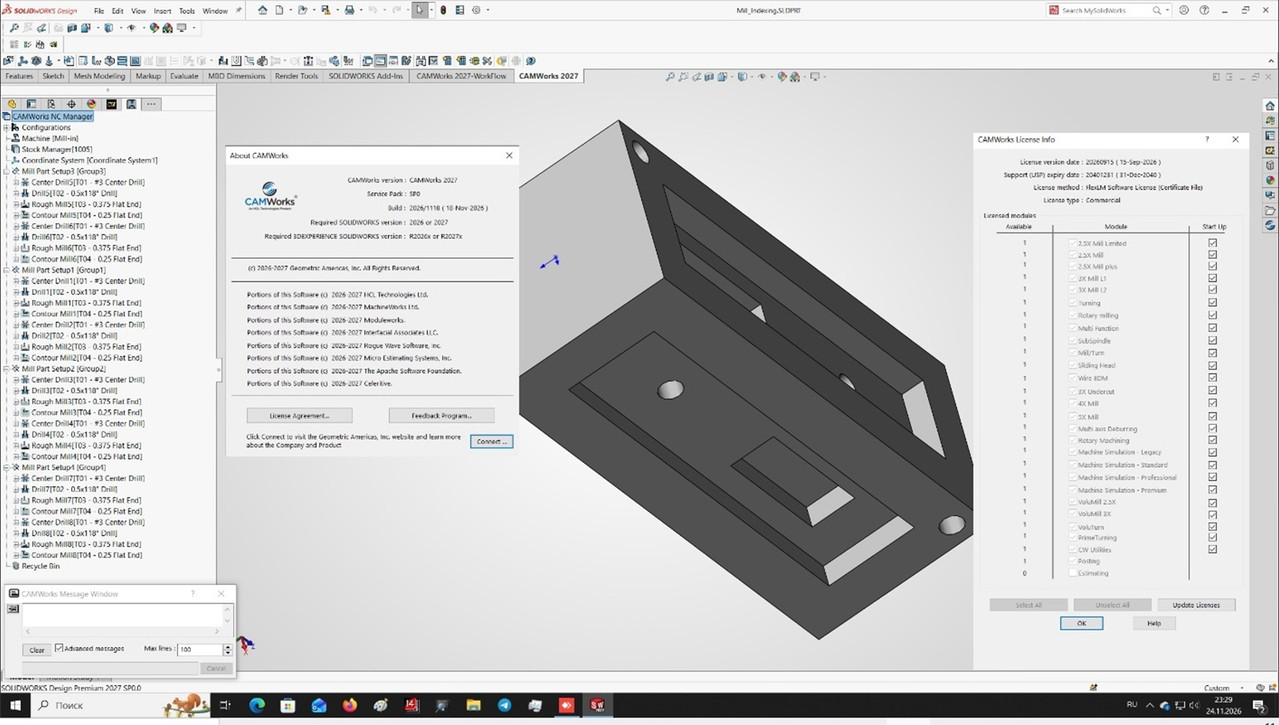
Download CAMWorks 2027 SP0 for SolidWorks 2026-2027 x64

CAMWorks 2027 SP0 – Advanced CNC Programming and CAM Software

CAM(Computer Aided Manufacturing)Works 2027 Sp0 – a module for creating control programs for CNC machines.
Programming of milling, turning, turning-milling and wire erosion by means of the CAMWorks module.

* The CAMWorks module allows you to create milling, turning, turning-milling and wire erosion programs. The following types of machines are supported: Milling machines with simultaneous control of two? five axles;
* Single- and double-spindle lathes, with one or two calipers, with software-controlled auxiliary mechanisms (tailstocks, steady rests, part catchers…);
* Single – and double-spindle turning and milling machines, with one or two calipers, with software-controlled auxiliary mechanisms, with simultaneous control of two to five axles;
* Erosive two – and four-axis.

CAMWorks 2027 SP0 is carried out directly in the SolidWorks environment and directly according to the SolidWorks model. The programmer’s work results are saved in the same SolidWorks part or assembly model. This ensures complete associativity of the model and tool trajectories, which leads to automatic updating of all tool trajectories when making changes to the model. When adding any technological data to the SolidWorks model, such as roughness designations, bases, tolerances for the shape and location of surfaces, and dimensional tolerances, the technologist-programmer always has direct access to them, which makes it easier to choose the layout of the part on the machine and select those necessary to ensure the specified quality of the tool part and cutting modes. The part can be easily adapted to processing needs by, for exampleelimination of unnecessary elements from the point of view of processing geometry elements or by recalculating the executive dimensions of the model to the middle of the tolerance field. In the SolidWorks assembly mode, you can perform joint processing of several parts, program the processing of a series of parts, or simply completely simulate the entire real environment on the machine table – all the equipment, workpieces of any complexity, and so on – to most fully take into account the realities of processing already at the earliest stages of creating a programa workpiece of any complexity, and so on – to most fully take into account the realities of processing already at the very early stages of creating the programa workpiece of any complexity, and so on – to most fully take into account the realities of processing already at the very early stages of creating the program

Working with CAMWorks 2027 SP0 for SolidWorks 2026-2027 full activated

Features of CAMWorks 2027 SP0

1. Advanced CNC Milling
2.5-axis CNC milling operations
3-axis surface and solid machining
4-axis indexed machining
Simultaneous 4-axis machining
5-axis simultaneous machining
Advanced pocketing and profiling operations
Adaptive roughing and finishing strategies
High-speed machining with VoluMill technology
Tangent lead and high-feed clearance controls
Undercut stock support
Work-in-process accuracy settings

2. Turning and Mill-Turn Programming
CNC turning and lathe programming
Roughing and finishing operations
Internal and external turning
Wobble broaching support
Internal keyway and spline machining
Cylindrical and conical rotary machining
Eccentric rotary machining
Mill-turn machining strategies
Parametric Swiss-Turn sub-spindle operations
Simultaneous drilling and tapping

3. Automated Multiaxis Deburring
Automated 3-axis deburring
Automated 4-axis deburring
Automated 5-axis deburring
Automatic edge recognition
Associative toolpath updates
Improved machining control for complex edges

4. CNC Simulation and Verification
Advanced machine simulation
Main and sub-spindle simulation
Simultaneous machining visualization
Collision detection and verification
Toolpath verification
Work-in-process visualization
Machining operation analysis
Improved simulation of synchronized operations

5. Rotary Machining
Rotary roughing operations
Rotary finishing operations
Cylindrical component machining
Conical component machining
Eccentric geometry machining
Milling and mill-turn rotary workflows

6. Integrated SOLIDWORKS Environment
Direct integration with SOLIDWORKS
Feature-based machining technology
Automatic Feature Recognition (AFR)
Interactive Feature Recognition (IFR)
Associative CAD/CAM workflow
Automatic toolpath updates after design changes
3D model-based CNC programming
Integrated machining data management

7. Setup and Manufacturing Optimization
Optimized machining setup sequencing
Shortest setup sequencing strategy
Rotary First sequencing strategy
Tilt First sequencing strategy
Reduced unnecessary machine rotations
Improved CNC programming productivity
Flexible machining parameter management

Conclusion
CAMWorks 2027 SP0 for SOLIDWORKS 2026-2027 is a comprehensive CAD/CAM solution for modern CNC manufacturing. Its advanced milling and turning capabilities, automated multiaxis deburring, rotary machining, Swiss programming, and improved simulation tools make it a valuable application for CNC programmers, mechanical engineers, and manufacturing companies looking to optimize machining workflows and improve production efficiency.

If you want to download CAMWorks 2027 SP0 for SolidWorks 2026-2027 full license, please click to DOWNLOAD button to download.
CLICKDOWN.ORG Download CAD CAM CNC software
Inside package CAMWorks 2027 SP0 for SolidWorks 2026-2027, already have cracked files and instruction how to install CAMWorks 2027 SP0 for SolidWorks 2026-2027 step by step. I guarantee you can install CAMWorks 2027 SP0 for SolidWorks 2026-2027 successfully if you follow that instruction.
If you also can’t install it or get any problems, please contact to me by email: [email protected], then I will help you to install software by teamviewer or Ultraviewer or Anydesk.
Thanks a lot

error: Content is protected !!
Scroll to Top