Download Sante DICOM Viewer Pro 14.2.4 x64 full license
Link download Sante DICOM Viewer Pro 14.2.4 win64 full activated
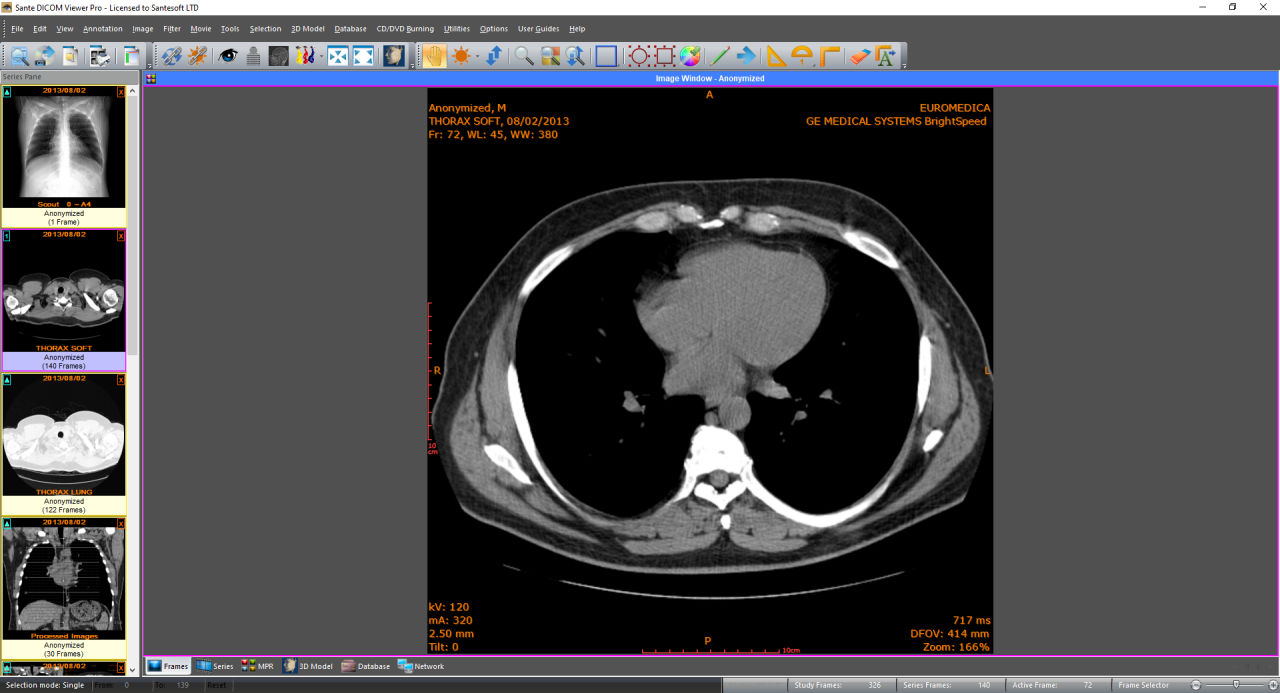
Description of Sante DICOM Viewer Pro 14.2.4
Sante DICOM Viewer Pro 14.2.4 is a full-featured, professional-grade DICOM viewer and PACS workstation designed for radiologists, imaging centers, and hospitals. The software allows advanced visualization, analysis, and management of medical imaging data compliant with DICOM standards. Version 14.2.4 brings key performance improvements, updated security features, and workflow enhancements.
🔄 What’s New in Sante DICOM Viewer Pro 14.2.4
1. Direct2D Graphics Engine
Replaces the legacy GDI+ engine with Direct2D for significantly faster rendering and smoother performance when viewing 2D and 3D DICOM images.
2. TLS Support for Secure DICOM Networking
Adds Transport Layer Security (TLS) encryption for DICOM communications (e.g., C-STORE, C-FIND, C-MOVE), improving data protection across networks.
3. Integrated OHIF Web Viewer
Enables remote, browser-based viewing of studies via OHIF (Open Health Imaging Foundation) viewer without the need for local installation.
4. Export Search Results to CSV
PACS/database search results can now be exported directly to CSV format for easy analysis and reporting.
5. New UID Assignment for Anonymization
Users can assign new Study, Series, and SOP Instance UIDs during anonymization for stronger patient data de-identification and traceability.
6. Memory and Performance Optimizations
Several backend improvements allow faster loading, processing, and rendering of large imaging datasets.
🛠️ Core Features
Advanced 2D/3D Viewing: CT, MRI, X-Ray, Ultrasound, PET, and other modalities supported with multiplanar reconstruction (MPR), volume rendering, MIP, and isosurface views.
Mini PACS Server & Full DICOM Node: Supports C-STORE, C-FIND, C-MOVE, C-GET, and C-ECHO for seamless PACS integration.
DICOM Editing & Batch Tools: Modify DICOM metadata, convert formats, and anonymize in batch mode for large datasets.
Comprehensive ROI Tools: Supports measurements (distance, angle, volume, area), statistics, Cobb angle, and custom-shaped ROI analysis.
Comparison Mode: Compare studies side-by-side with synchronized scrolling, zooming, and metadata comparison.
Burn CDs/DVDs with Viewer: Create patient discs with an embedded DICOM viewer for standalone review.
Export to WMV & Print: Save DICOM images as video or print using DICOM or Windows printing systems.
Database & File System Mode: Organize, archive, and retrieve studies using built-in database or file directory mode.
✅ Conclusion
Sante DICOM Viewer Pro 14.2.4 is a robust, secure, and user-friendly solution for comprehensive medical image management. With powerful DICOM networking, efficient batch processing, anonymization, and modern 2D/3D visualization tools, it is ideal for professionals seeking a reliable and fast DICOM viewer with built-in PACS capabilities.
If you want to download Sante DICOM Viewer Pro 14.2.4 full license, please click to DOWNLOAD symbol and complete check out a little help my website is maintained. The download link is appeared automatically after you complete check out.

Inside package Sante DICOM Viewer Pro 14.2.4, already have cracked’s files and instruction how to install Sante DICOM Viewer Pro 14.2.4 step by step. I guarantee you can install Sante DICOM Viewer Pro 14.2.4 successfully if you follow that instruction.
If you also can’t install it or any problems, please contact to me by email: [email protected], then I will help you to install software by teamviewer or Ultraviewer or Anydesk.
Thanks a lot

